Auto edit any kind of shots
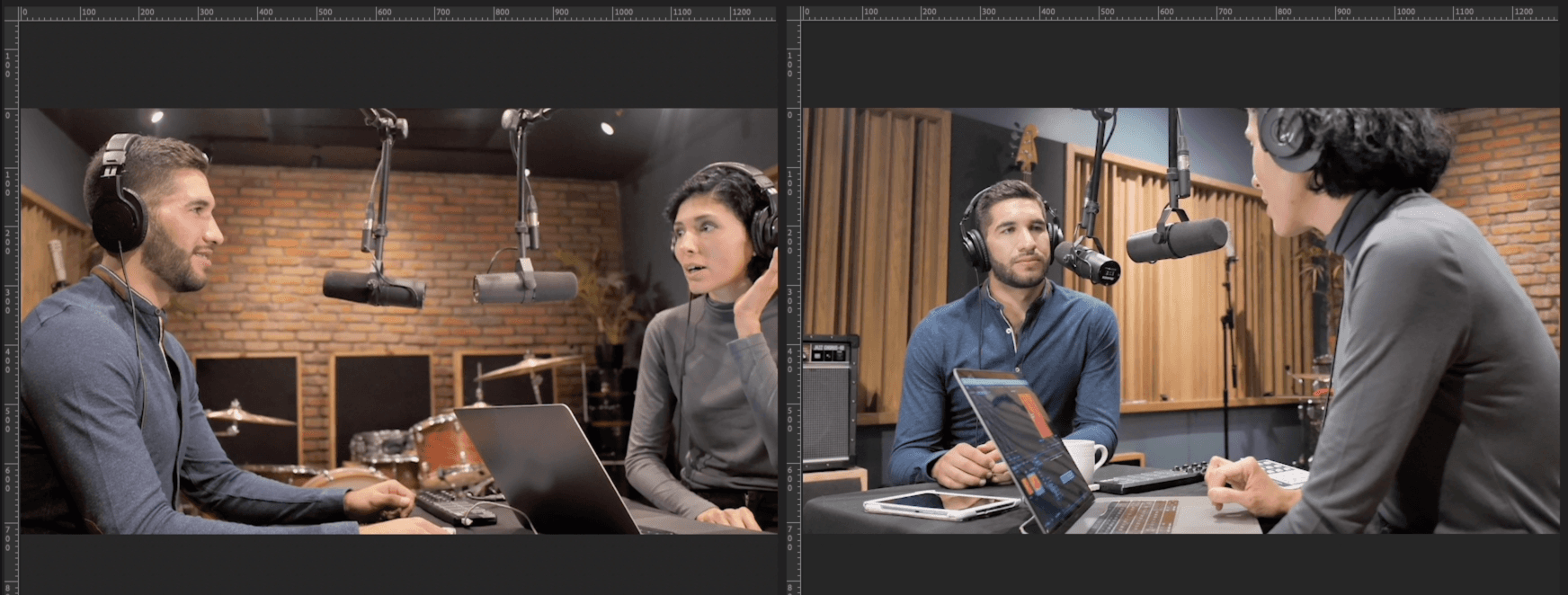
From single-person multi-cam to multiple speakers, close-up shots to wide shots, Cutback supports all scenarios and provides context-aware track switching that is more natural, all in one sequence.
1 person multi-cam
Wide shot
Multiple speakers, single audio
Multiple speakers, multi-cam
Close-up shot
Hours of multi-cam footage
Context-Aware Switching vs Waveform-Only Detection
Most multicam tools cut based on audio volume, whoever is loudest gets the camera. Premiere Assistant analyzes facial expressions and conversational context, producing natural-looking cuts even when speakers overlap, react, or talk over each other
Supports hours of videos
Edit with speed, even with multiple tracks with hours of videos, suited for Pro-level multi-cam editing.
Automated, but under your control
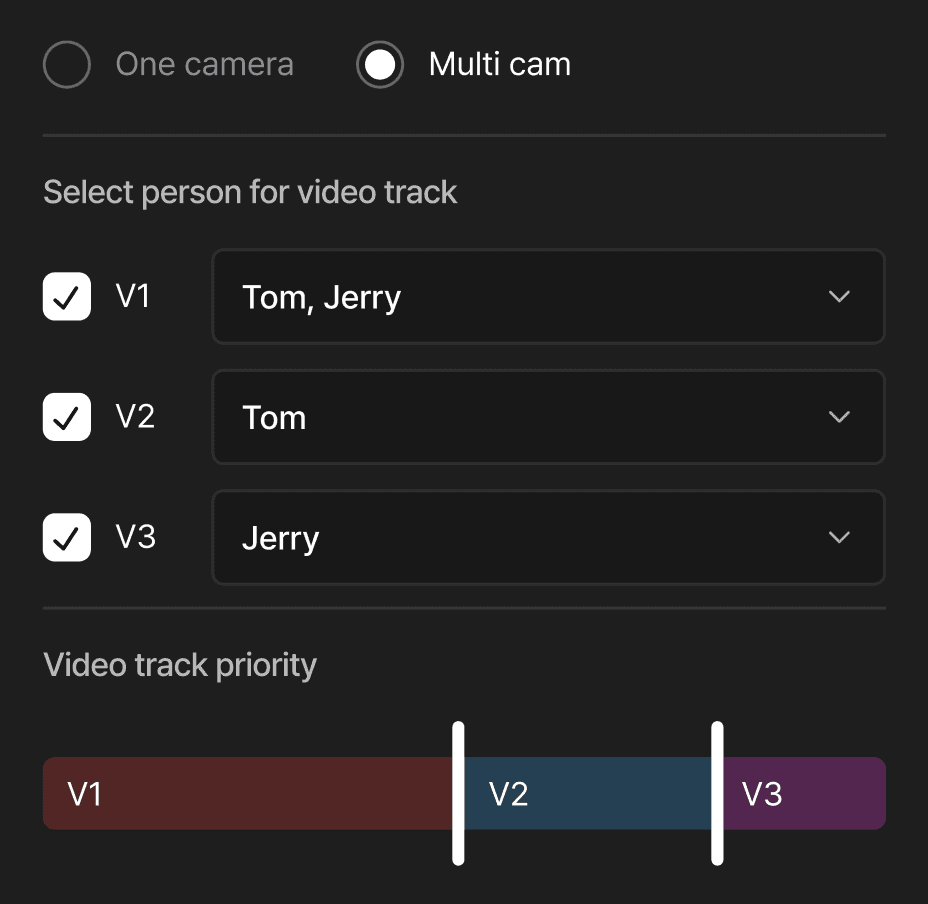
Set track switching frequency and track priority for automatic editing. Review transcript and make quick changes for that last bit of perfection.

Learn more
Watch how to edit multi-cam videos in Adobe Premiere Pro with Cutback.
How to edit Multi-cam
Install Cutback plugin
Install Cutback extension for Premiere Pro.
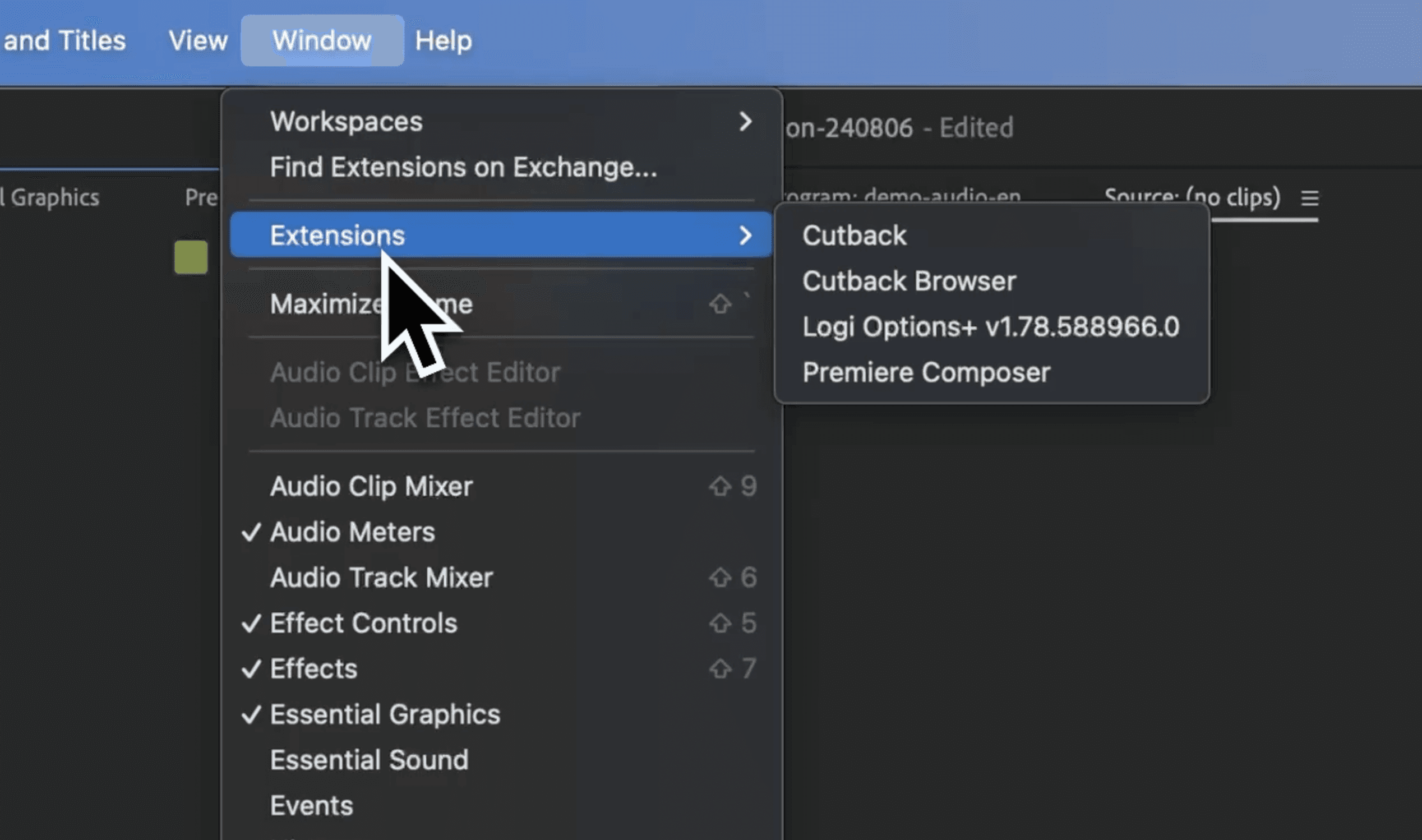
Select menu
Click on the multi-cam editing menu, or choose multi-cam option in the transcribe menu.

Set and apply
Choose the desired outcome of the video with just a few clicks.

FAQ
What is the best AI multicam editing plugin for Premiere Pro?
How does Premiere Assistant switch cameras automatically in Premiere Pro?
Can Premiere Assistant handle multicam with a single shared audio track?
How much footage can Premiere Assistant handle for multicam editing?