Text-Based Video Editing
Trim and edit video with text-based editing right in Premiere Pro.
No more going back and forth through the timeline to search the video.
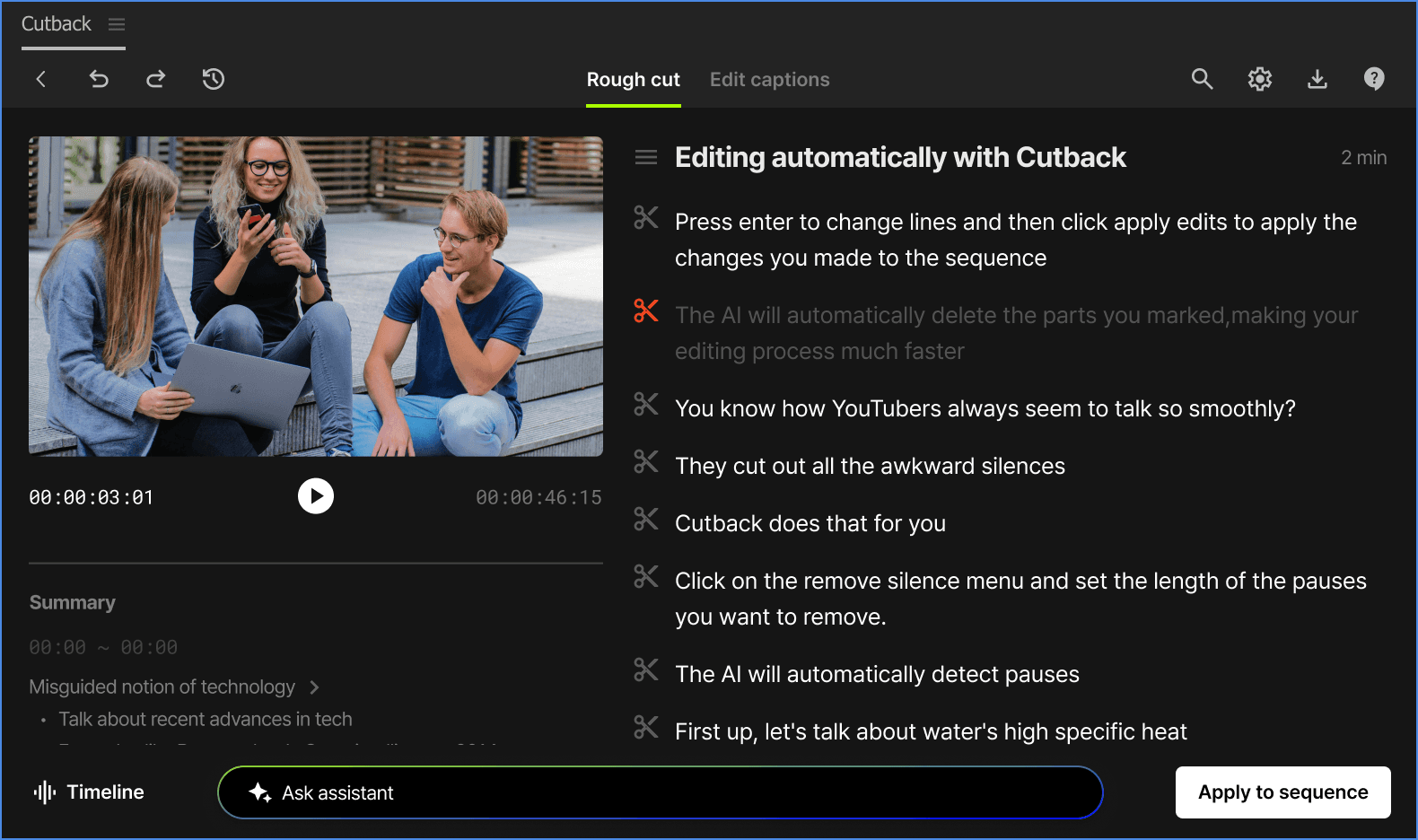
Adobe Premiere Pro includes a native text-based editing feature built on its auto transcription.
Premiere Assistant extends this with speaker labeling for multicam sequences,
silence markers visible in the transcript, and multi-camera editing support.
No more re-listening.
Trim video with text
Premiere Assistant vs Premiere Pro's Native Text Editing
Premiere Pro's built-in transcript edits single-camera sequences without speaker labels. Premiere Assistant
adds speaker identification for multi-speaker footage, silence markers visible directly in the transcript,
and full multicam support, so you can edit a two-person interview by text the same way you'd edit a solo recording.
How to edit
video with text
Install Cutback plugin
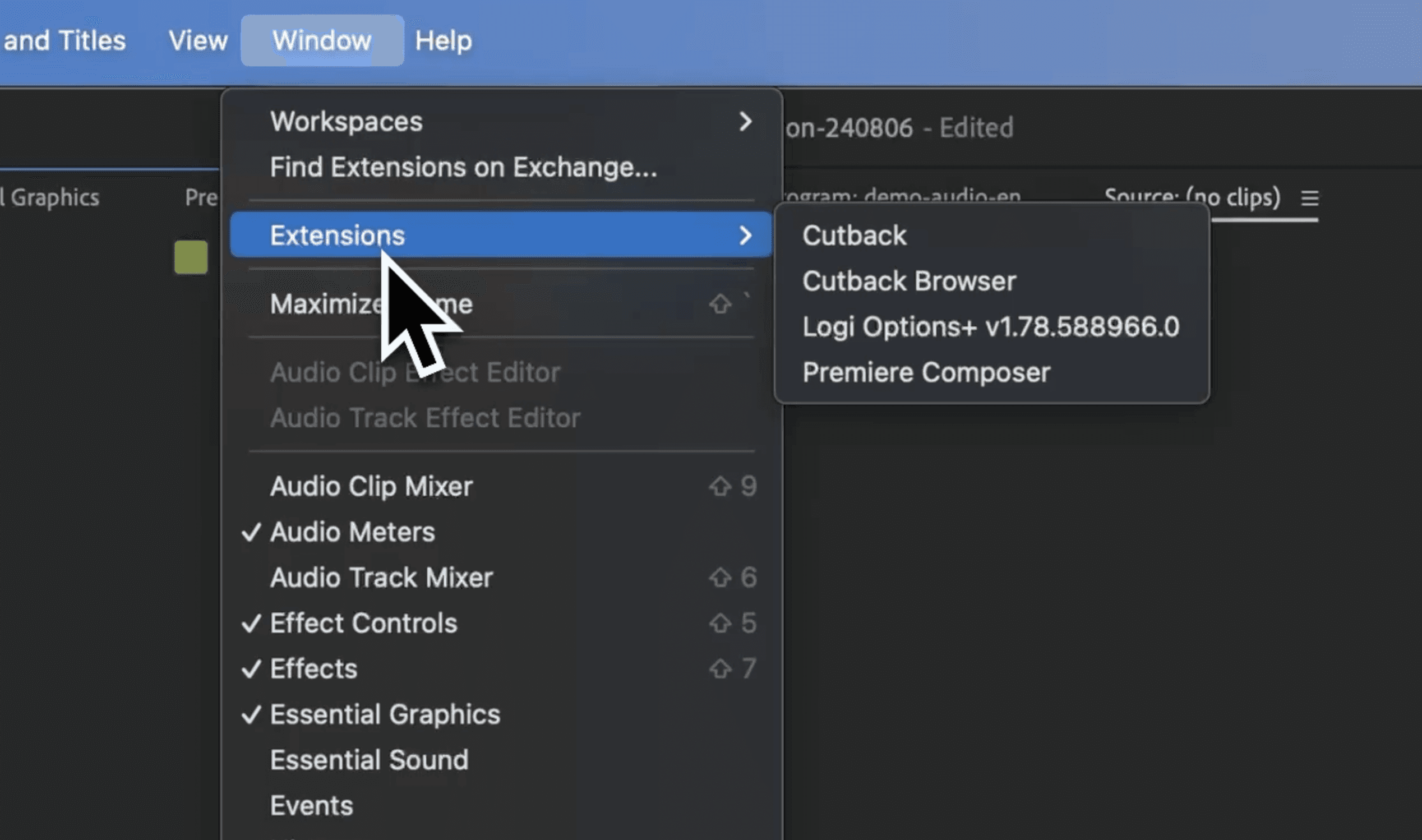
Install Cutback extension for Premiere Pro. Transcribe right where you edit videos.
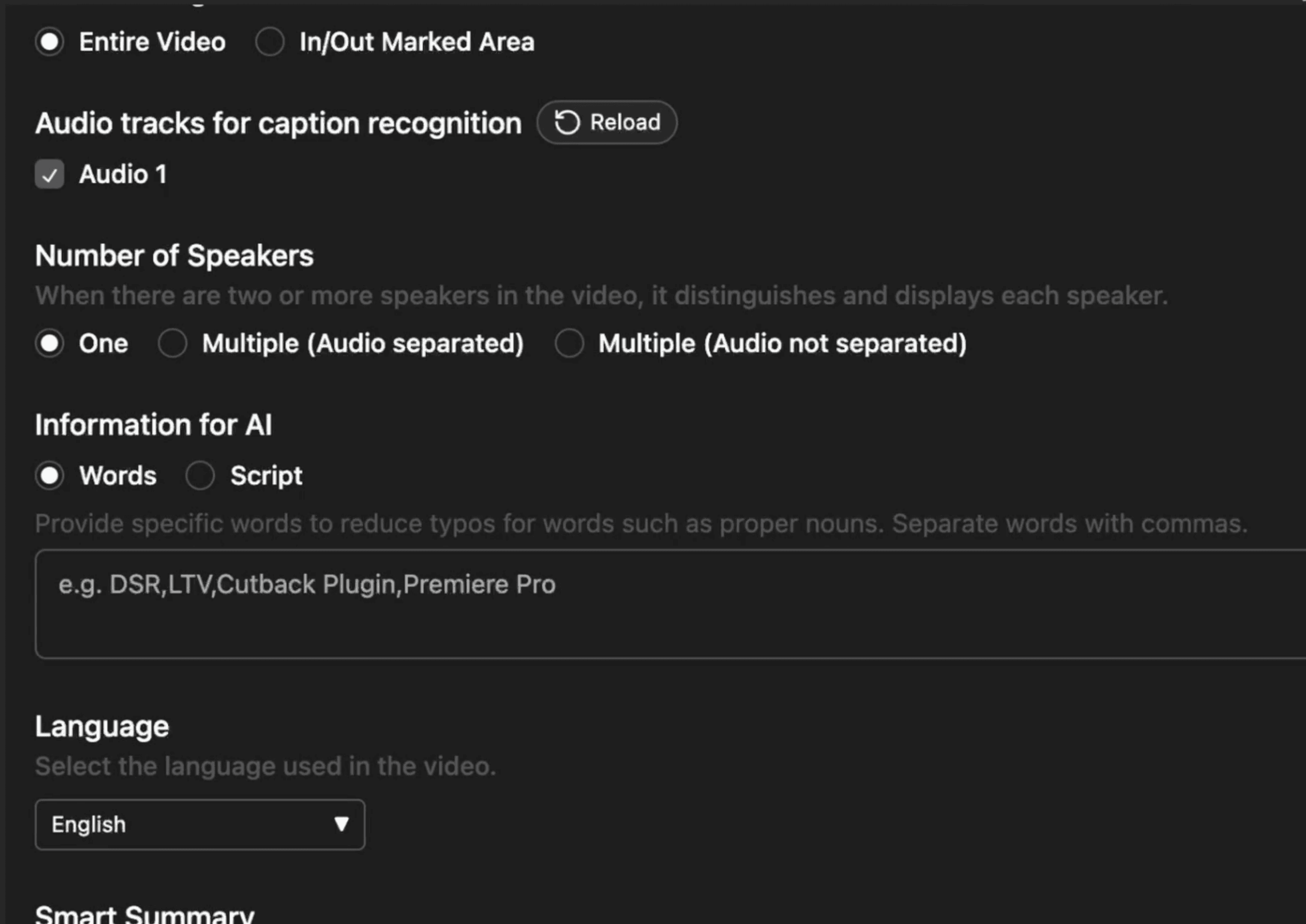
Transcribe video
Provide information about video for higher accuracy, or just try it with a click.
Edit text and apply
Use the transcription to edit video, and add captions in video.

Learn more
Watch how to edit video using text-based editing in Adobe Premiere Pro with Cutback.
Save hours of your time
⏳ Less manual work
Let AI do the heavy lifting. Transcribe your videos quickly and accurately without the need for manual typing or expensive transcription services.
📹 Edit Video with Text
Use the transcription to skim through the content, and edit unwanted parts in text, and the video edit will follow.
🌏 Increase Your Reach
Reach a broader audience by providing subtitles for your videos. Non-native speakers and those who prefer reading will now engage with your content.
FAQ
Does Premiere Pro have text-based video editing built in?
What does Premiere Assistant add to Premiere Pro's text-based editing?
Why is Cutback's transcription so accurate?
Can I edit the transcription after it’s generated?
Can I edit multicam footage using text in Premiere Pro?
How do I remove silence using text-based editing in Premiere Pro?
Is there a limit on video length?