Edit faster than
recording your scripted video

Edit faster than
recording your scripted video

Tutorial, product demo, or educational video:

Selects builds a timeline according to your script.

Tutorial, product demo, or educational video:

Selects builds a timeline according to your script.

Selects MCP with Claude, Codex, Openclaw

"This saves me at least a day.
The time spent reviewing for selects, cutting out dead air is totally handled."

"This saves me at least a day.
The time spent reviewing for selects, cutting out dead air is totally handled."

Producer, YT channel with 1.2M+ subs

"No f***ing way. We've been trying everything for five years.
Selects is the only working true multi-cam."

Video Editor, SF

The script is done.
The editing shouldn't take three times longer.

눈길을 사로잡는
자막 효과

thumbnails of content about video editing with claude

You spent an hour writing the script. You spent another hour recording it. Clear structure. Clean delivery. Good takes on almost every section.

Now you need to assemble the edit. Find the best take for each section. Match the screen recording to the voiceover. Drop in b-roll where it makes sense. Cut the pauses between sections. Add chapter markers.

The footage is straightforward. The editing is just tedious. You know exactly what the final video should look like. Getting there still takes hours of mechanical work.

애프터이펙트 없이도
숏폼용 자막 효과를 만들어보세요

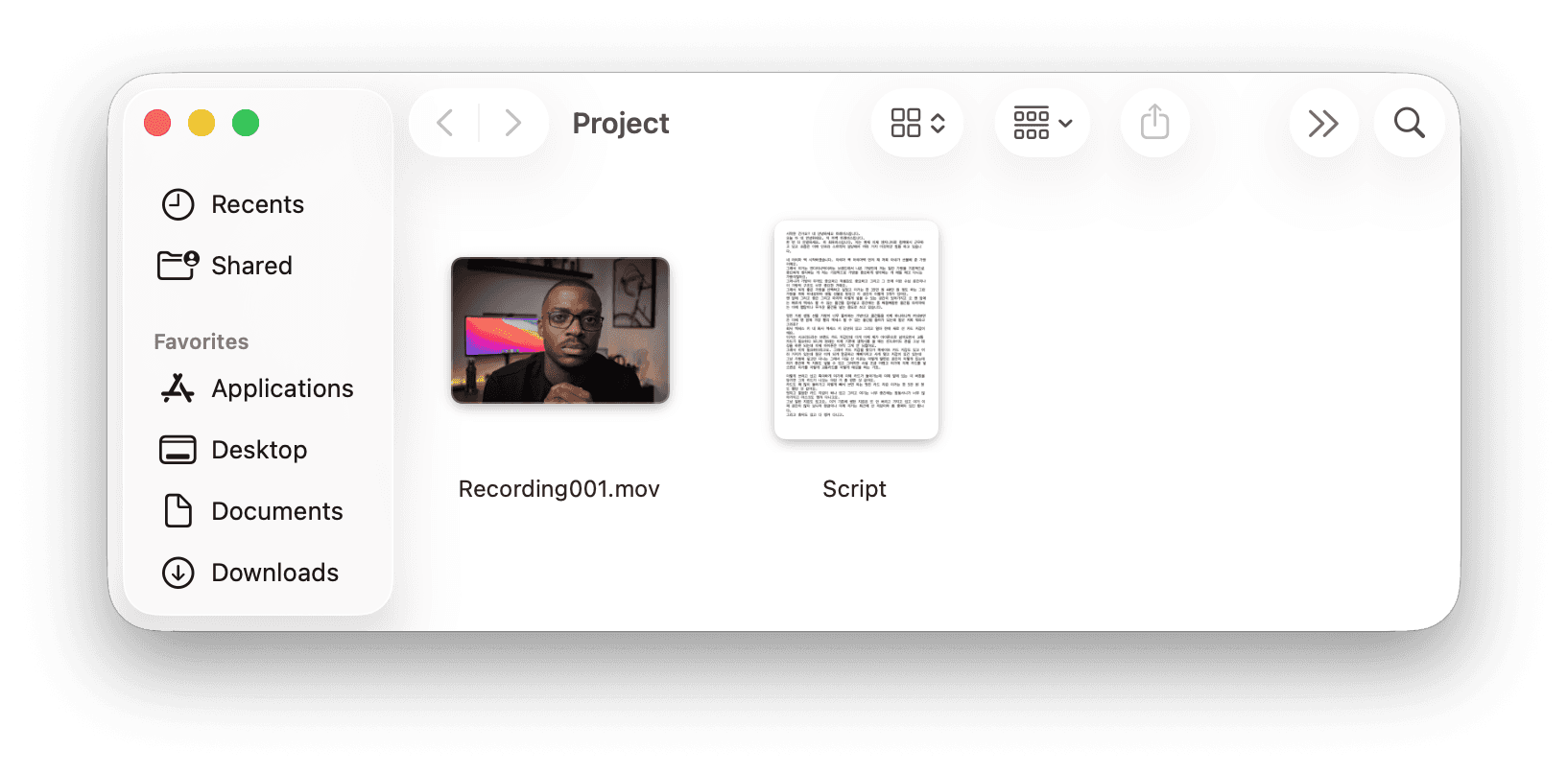
Script in. Structured edit out.

눈길을 사로잡는자막 효과

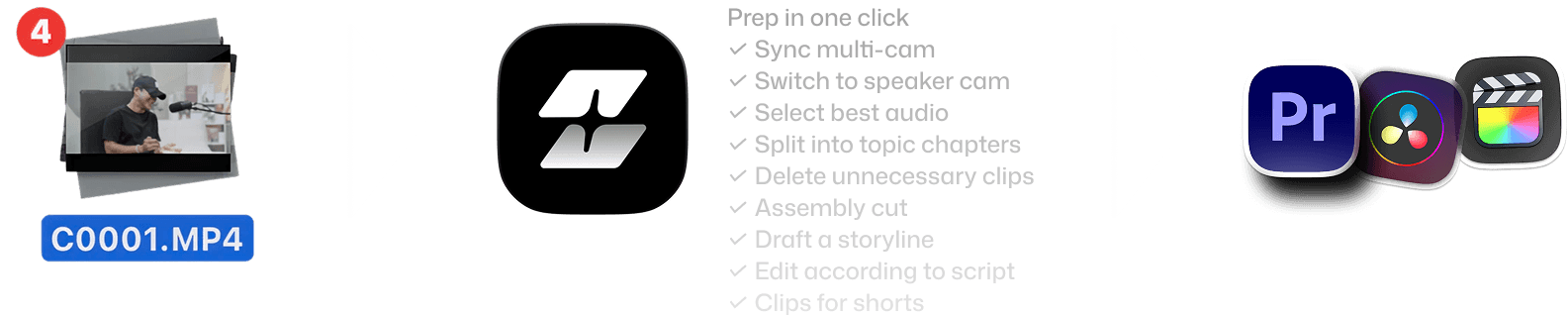
Features of Selects by Cutback. Drop raw videos, get prepped in minutes, handoff to existing workflow - mobile version

원본 영상 선택

10분만에 컷편집

이어서 작업하기

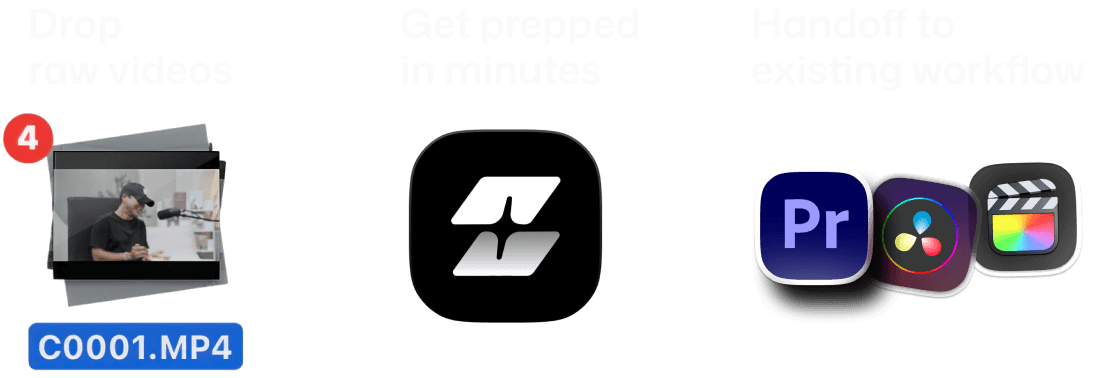
Features of Selects by Cutback. Drop raw videos, get prepped in minutes, handoff to existing workflow

What's in the script,
and even what's not in the script.

What's in the script,
and even what's not in the script.

Script-to-timeline alignment

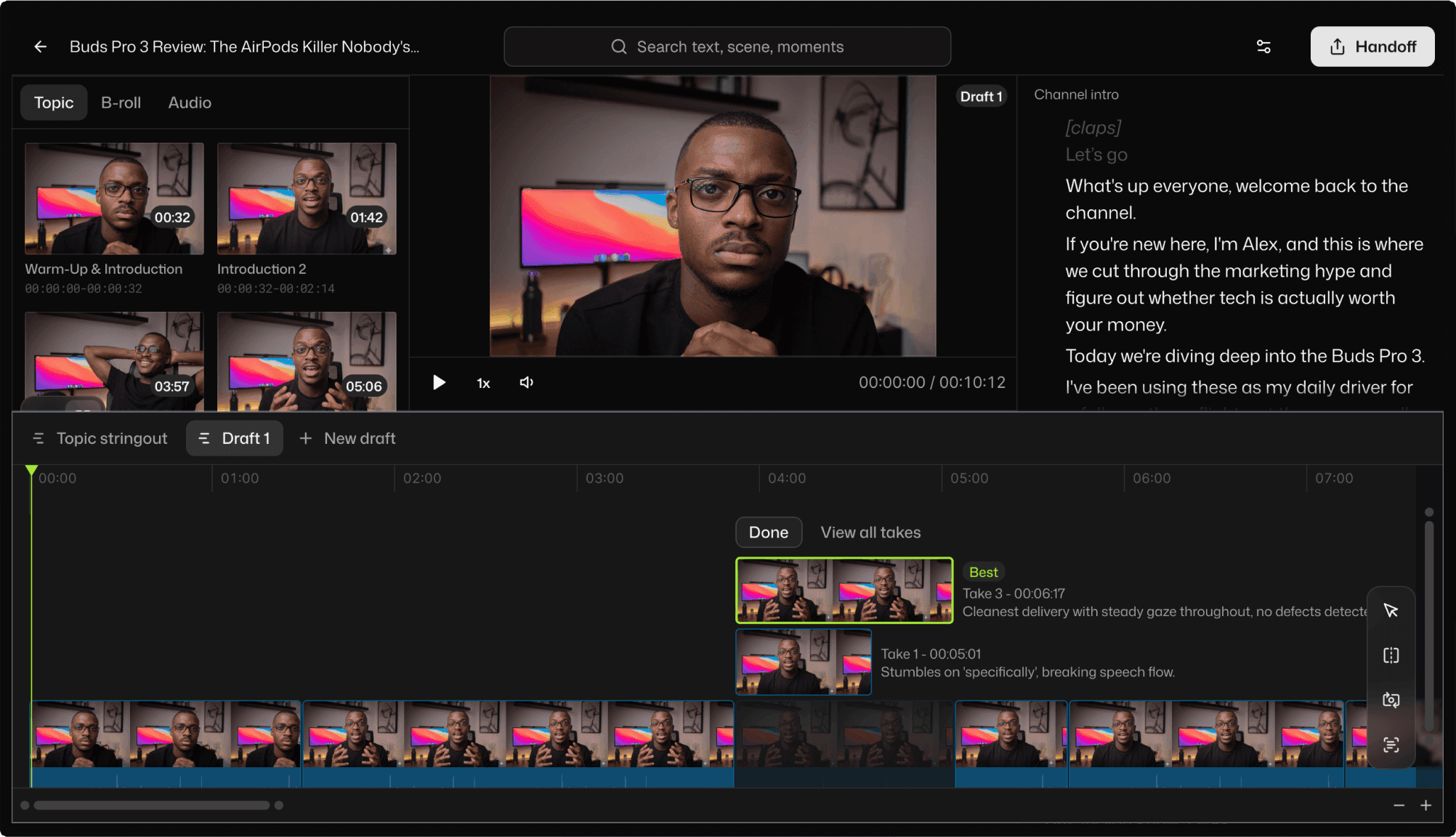
Selects maps your recorded footage to the structure of your content. Each section of your script becomes a chapter in the timeline, with the right clips already in place.
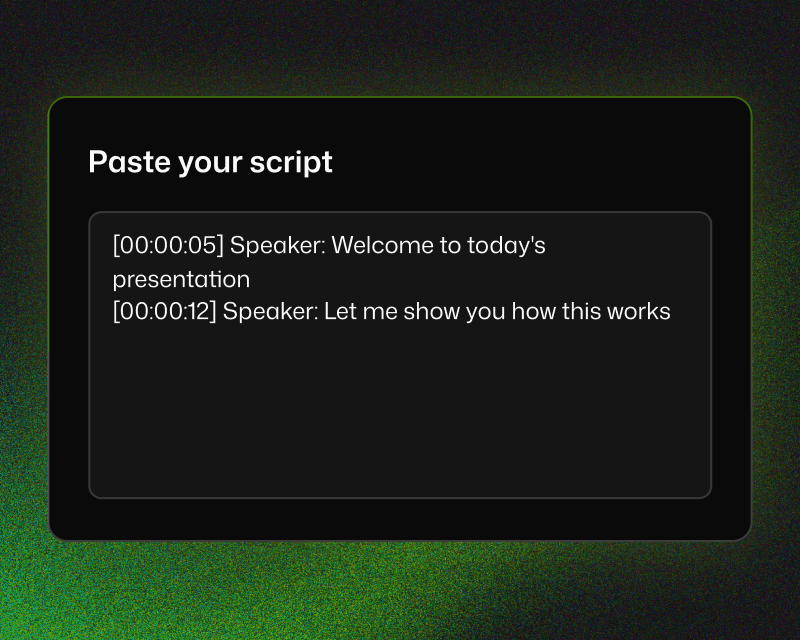
Adobe Premiere project bin structure

Best-take selection

Recorded three takes of the same section? Selects picks the cleanest one, with reasons you'll agree with.
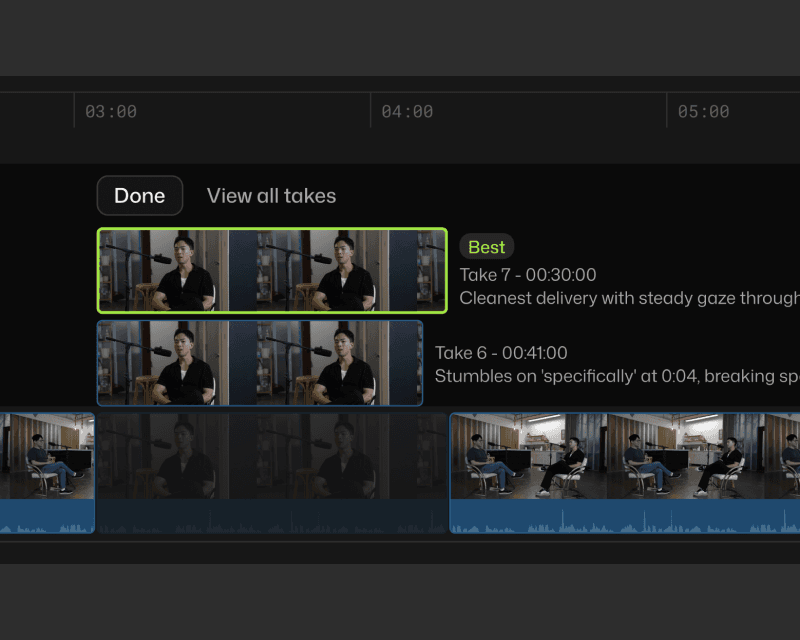
List of auto generated video timeline drafts

B-roll and screen recording placement

"Place the screen recording whenever I reference the software interface." Selects searches your footage by content and drops supplementary clips where they belong.
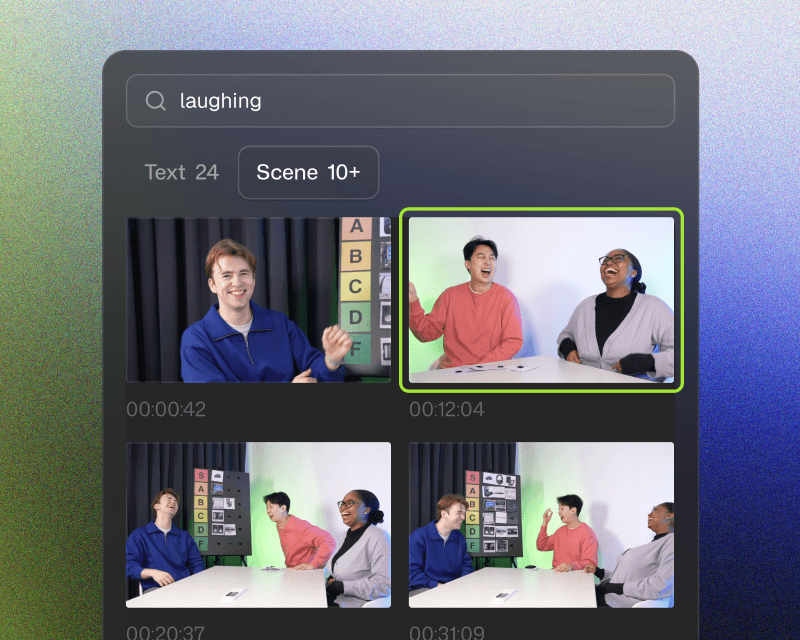
Drag and drop clips to keep in Selects

Silence and filler removal

Pauses between sections, verbal stumbles, and filler words: cleaned up automatically. The result is a tighter, more watchable edit without manual scrubbing.
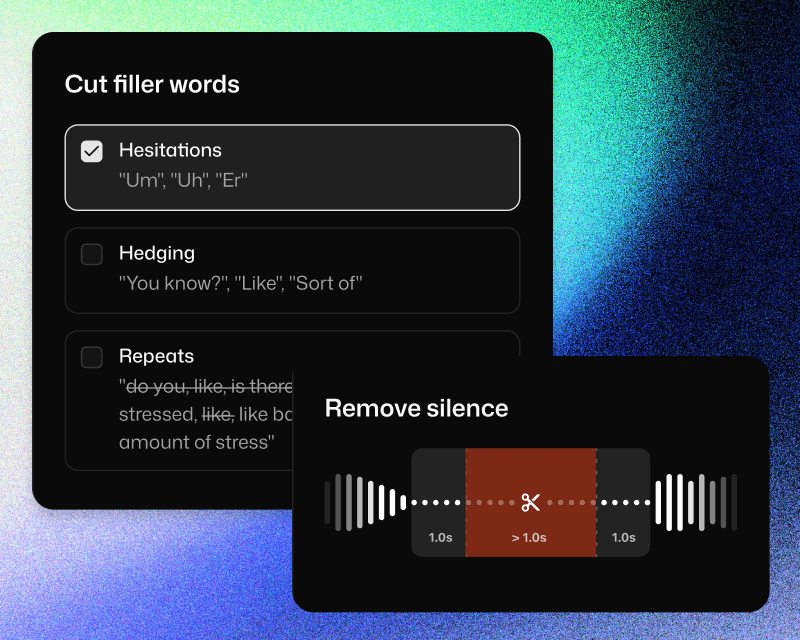
Cut fillers and silences in Selects

가장 익숙한 방법으로 핸드오프

가장 익숙한 방법으로 핸드오프

기존 편집툴과의 완벽 호환

프리미어 프로, 파이널컷, 다빈치 리졸브용 프로젝트 파일로 내보내고 바로 편집을 이어갈 수 있습니다.
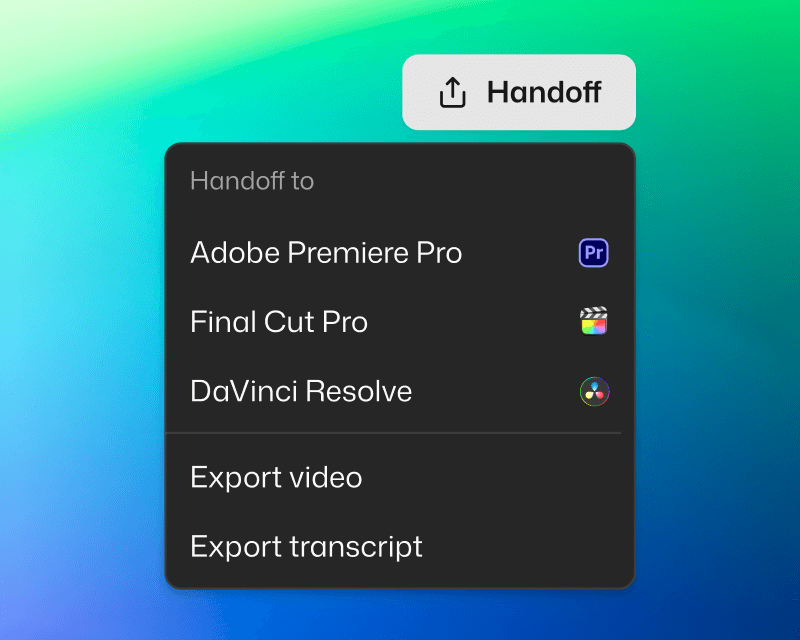
Handoff to NLE in Selects

깔끔하게 정리된 프로젝트

챕터별 컬러 구분, 멀티캠, 마커, 소제목 주제와 자막까지 포함되어 준비됩니다.
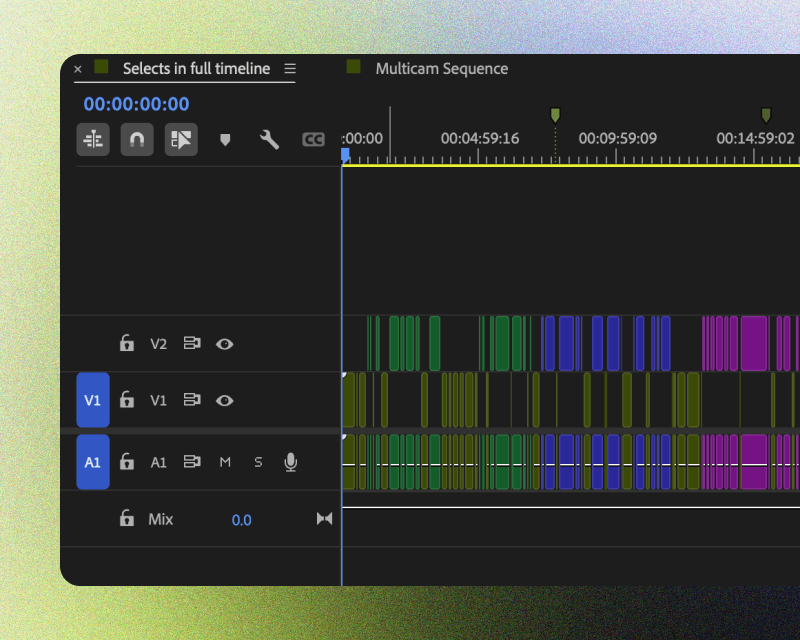
Handoff project example in Selects

자막과 영상 내보내기

대본이 필요할 때 필요한 형식으로 내보내세요. 컷편집된 영상을 바로 내보내서 사용할 수도 있습니다.
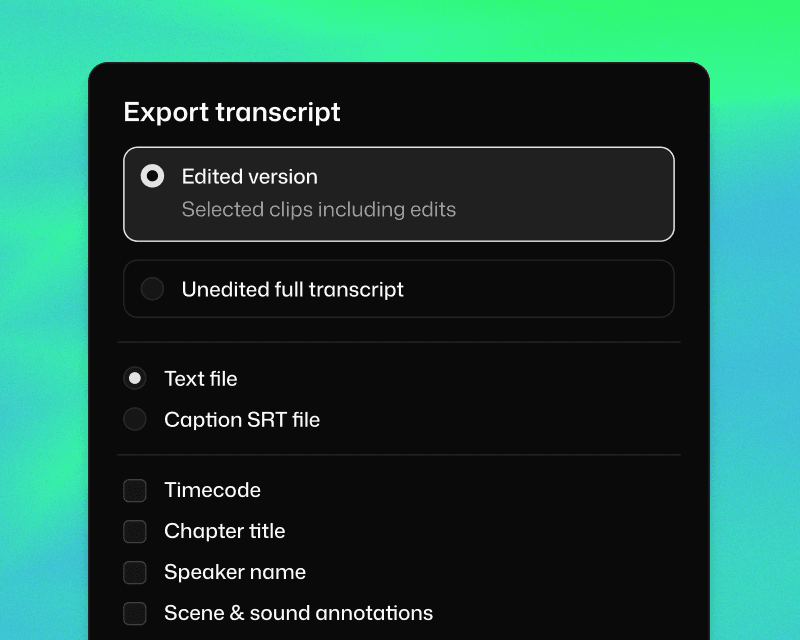
Export transcript and video in Selects

Same tutorial. Different afternoon.

Same tutorial. Different afternoon.

Same tutorial. Different afternoon.

2시간 영상 컷편집

소요 시간

멀티캠 싱크

주제별로 컷편집

컬러 라벨

자막 생성

무음 제거

간투사 삭제

수동

6시간 30분

1시간

1시간

30분

불가능

1시간

1시간

셀렉츠

20분

자동

자동

자동

자동

자동

자동

공식 어도비 비디오 파트너

Korean

주식회사 컷백
사업자등록번호: 530-86-03384
대표: 김담형
주소: 서울 강남구 선릉로93길 50 8층
통신판매업 신고번호: 2025-서울강남-03036

공식 어도비 비디오 파트너

Korean

주식회사 컷백
사업자등록번호: 530-86-03384
대표: 김담형
주소: 서울 강남구 선릉로93길 50 8층
통신판매업 신고번호: 2025-서울강남-03036

공식 어도비 비디오 파트너

Korean

주식회사 컷백
사업자등록번호: 530-86-03384
대표: 김담형
주소: 서울 강남구 선릉로93길 50 8층
통신판매업 신고번호: 2025-서울강남-03036
