Edit your podcast
in minutes, not days.

Edit your podcast
in minutes, not days.

Three cameras. Four audio tracks. Two hours of conversation.

Selects syncs and builds your podcast edit before you open your timeline.

Three cameras. Four audio tracks. Two hours of conversation.

Selects syncs and builds your podcast edit before you open your timeline.

7 days free trial

Selects MCP with Claude, Codex, Openclaw

"No f***ing way. We've been trying everything for five years.
Selects is the only working true multi-cam."

Video Editor, SF

"This saves me at least a day.
The time spent reviewing for selects, cutting out dead air is totally handled."

"This saves me at least a day.
The time spent reviewing for selects, cutting out dead air is totally handled."

Producer, YT channel with 1.2M+ subs

The conversation took two hours.
The edit takes six.

The conversation took two hours.
The edit takes six.

thumbnails of content about video editing with claude

Every podcast episode starts the same way. You sit down, press record across multiple cameras and mics, and have a genuine conversation for an hour or two.

Then the editing starts. Sync the cameras. Match the audio. Scrub through the entire recording to find the moments that matter. Cut the dead air. Pick the right angle for every line. Do it all again next week.

The conversation took two hours. The edit takes six. And most of that time isn't creative. It's sorting.
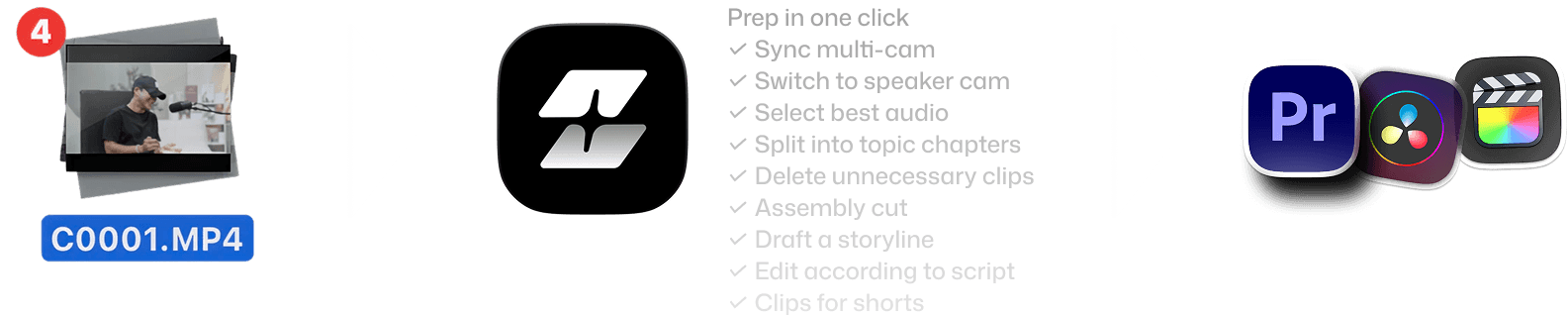
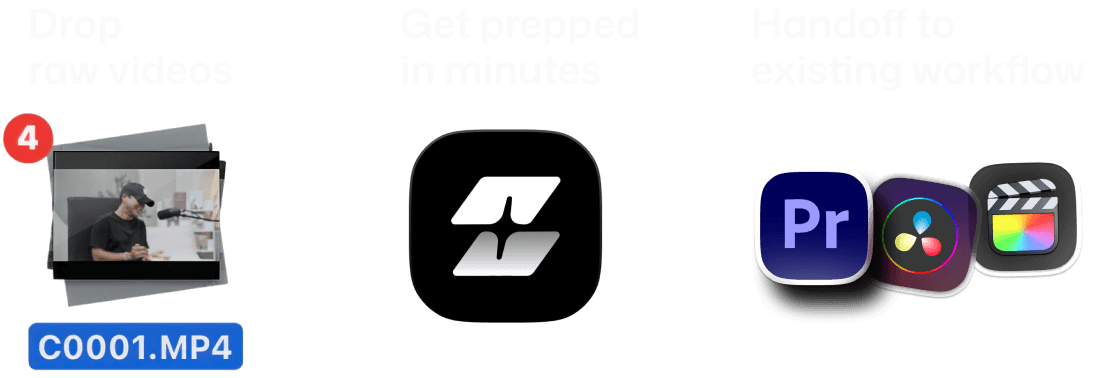
From raw footage to structured edit

From raw footage to structured edit

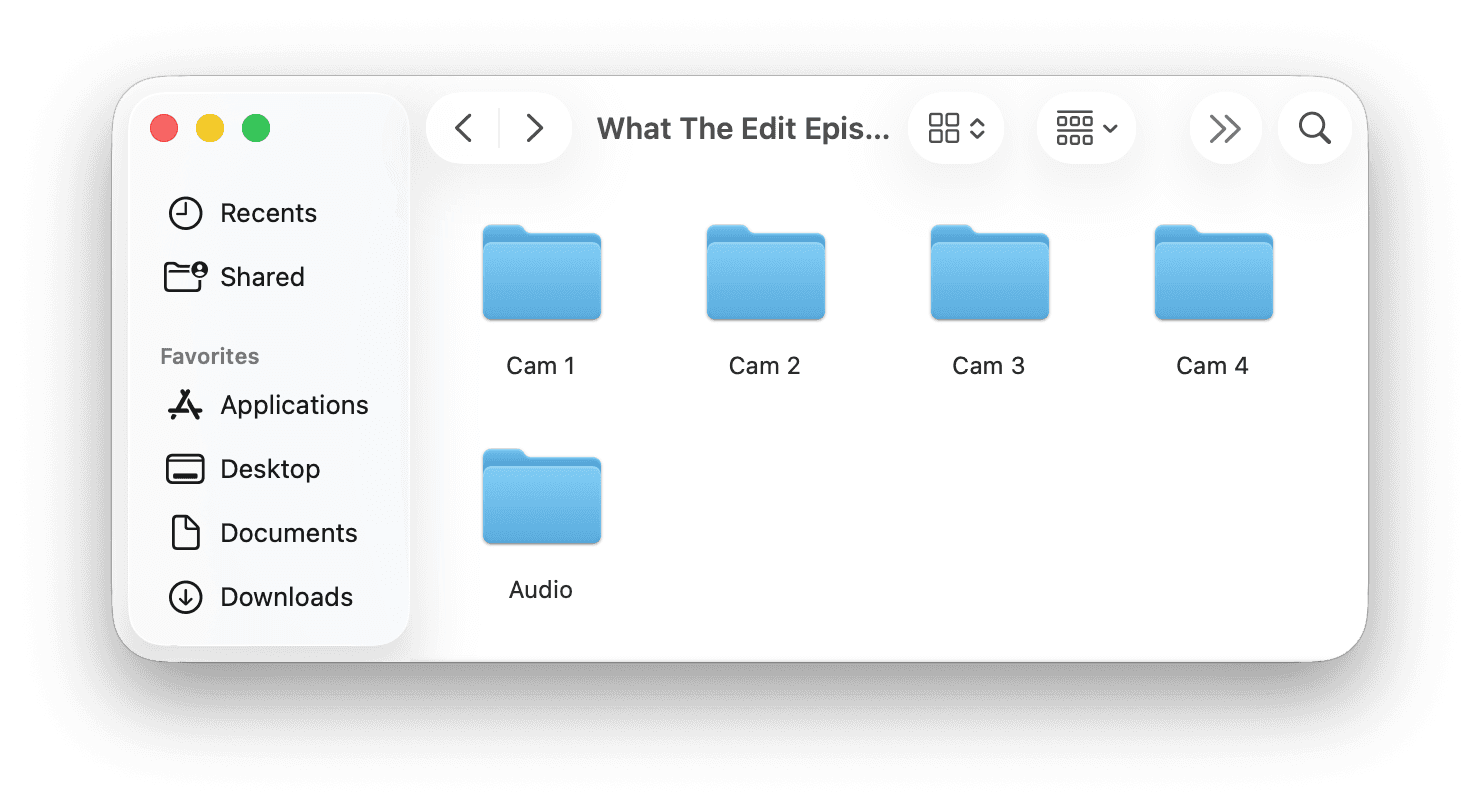
Drop folder
with raw media

Auto sync & edit
in minutes

Handoff to
existing workflow

Features of Selects by Cutback. Drop raw videos, get prepped in minutes, handoff to existing workflow
Features of Selects by Cutback. Drop raw videos, get prepped in minutes, handoff to existing workflow - mobile version

Your assistant video editor for
podcast post-production

Your assistant video editor for
podcast post-production

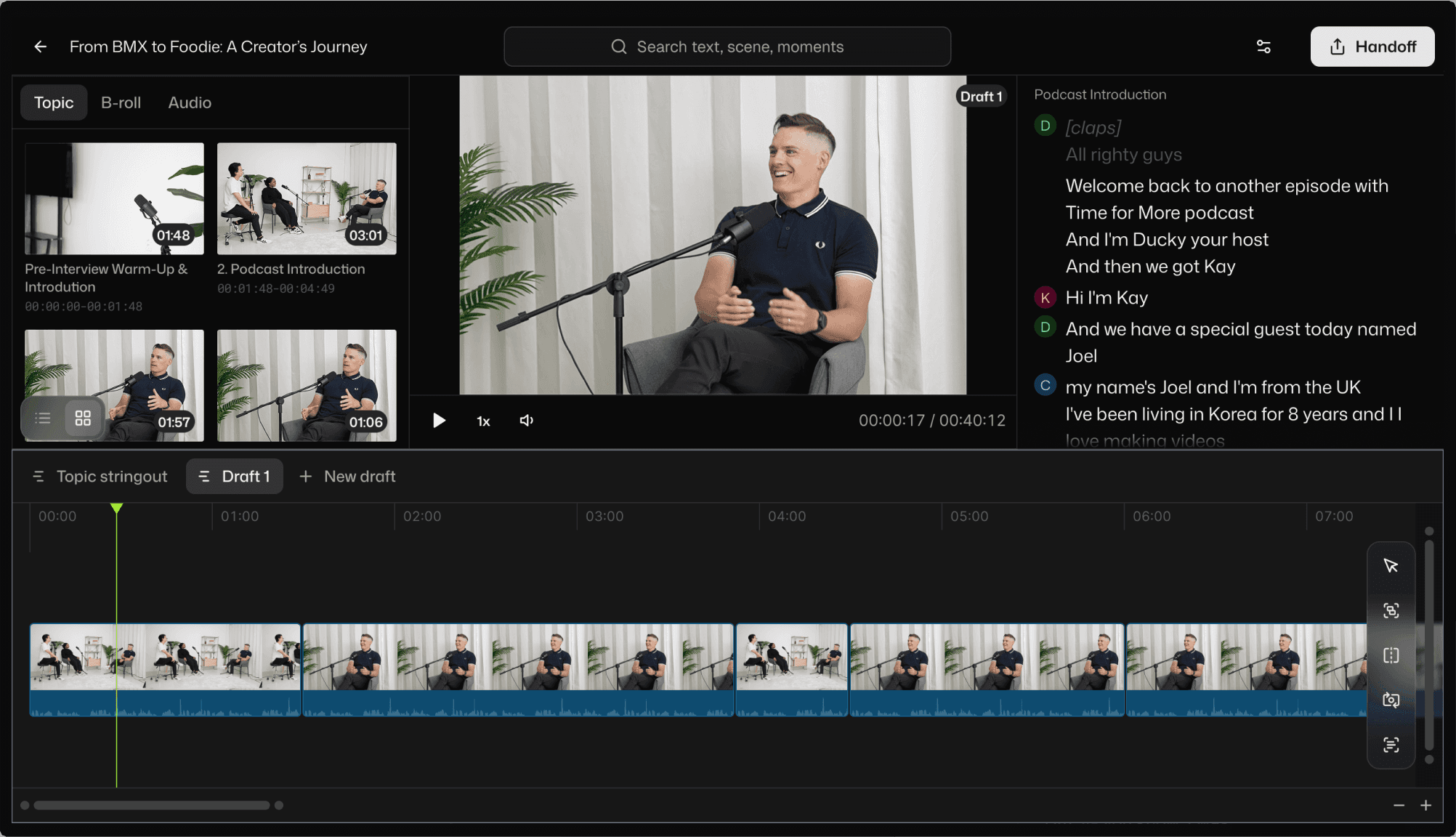
Multicam sync across every camera and mic

Three cameras, a boom, and two lavs? Selects syncs all of them in one step and picks the cleanest audio source per speaker automatically.
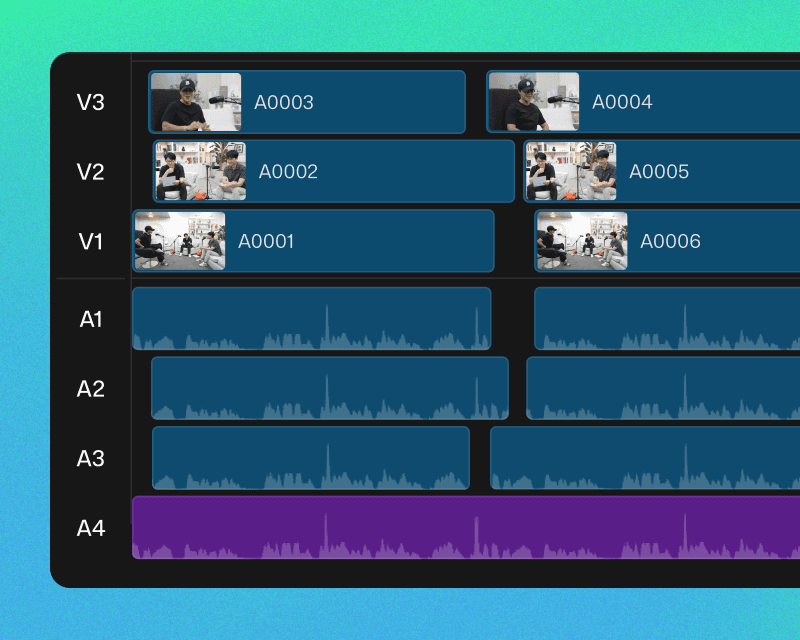
Multi-cam sync example in Selects

Speaker-aware camera switching

Selects knows who's talking and switches to the right camera angle. Not random cuts. Cuts that follow the conversation.
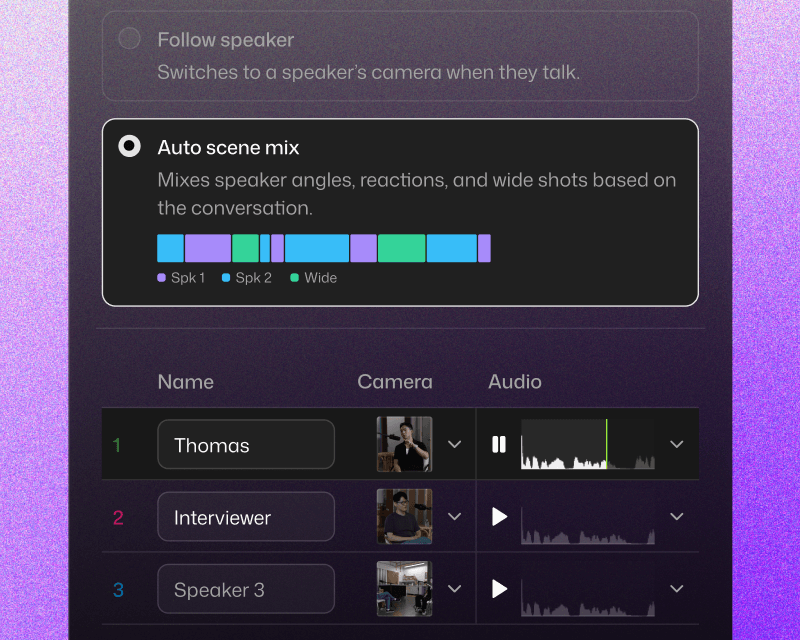
Draft a storyline in Selects

Silence and filler word removal

Um," "uh," long pauses, and dead air. Gone. Automatically. Or keep them if your podcast style calls for a looser feel.
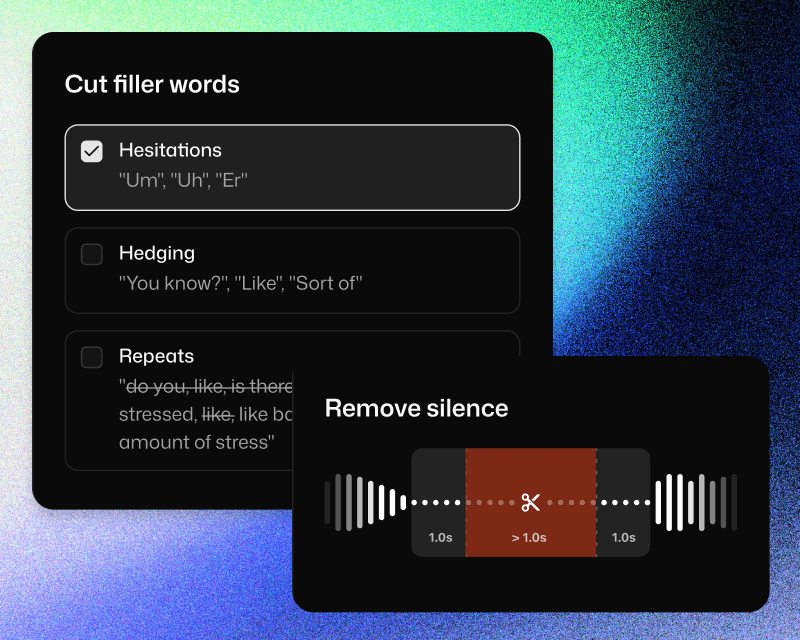
Cut fillers and silences in Selects

Handoff to
start the creative edit

Seamless with your NLE

Handoff to Adobe Premiere Pro, Final Cut, or DaVinci Resolve. Project files are structured to fit your workflow.
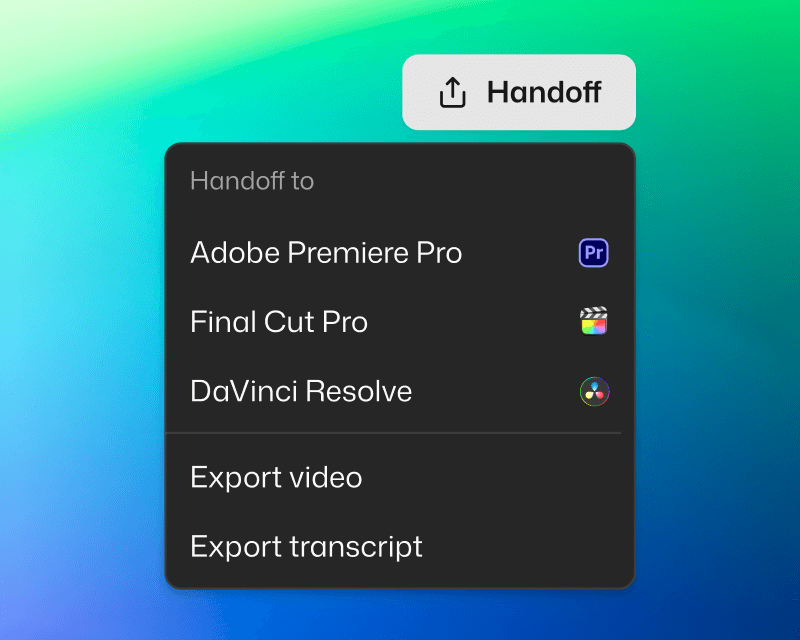
Handoff to NLE in Selects

You're in control

Edits are non-destructive, and organized for clarity. Categorized bins, color-coded topics, markers and transcripts included.
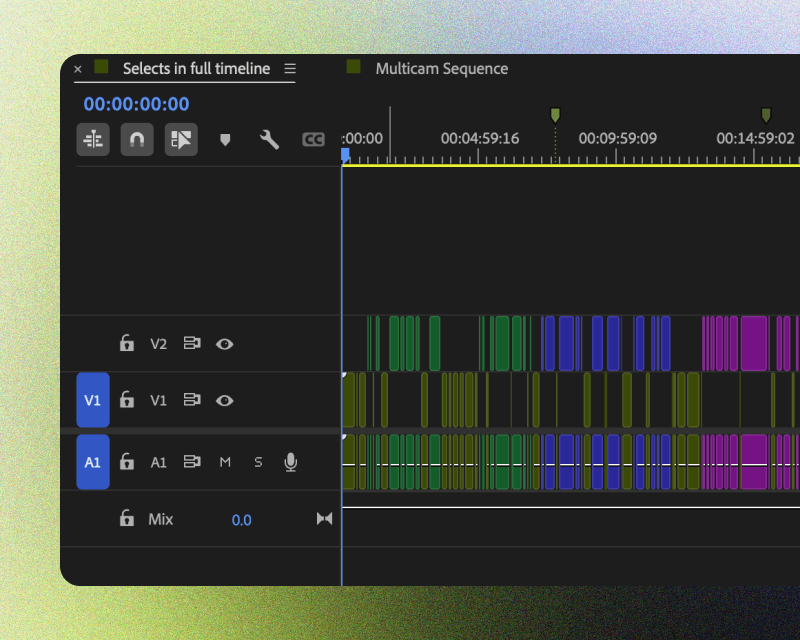
Handoff project example in Selects

Ready to share

Share transcript for paper cuts. Or export video if the Selects rough cut is ready to go.
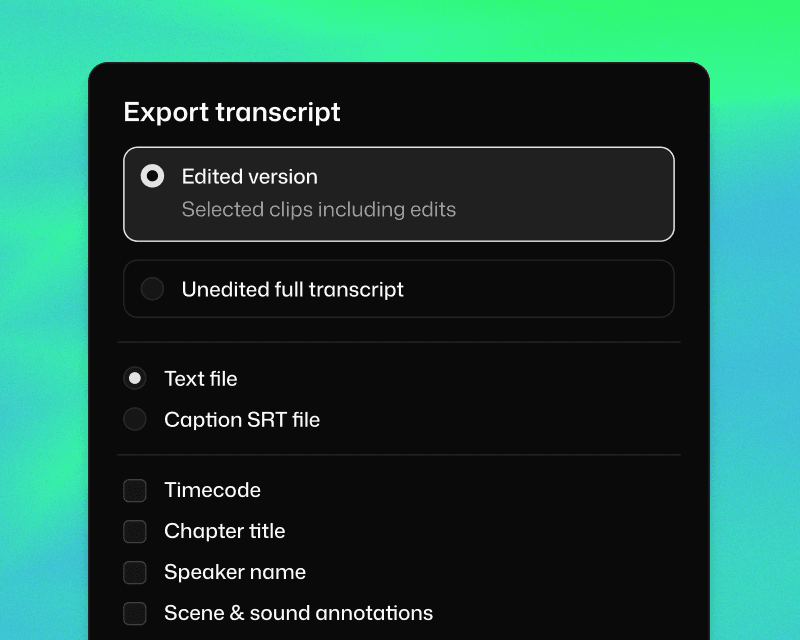
Export transcript and video in Selects

Same episode. Different Monday.

Same episode. Different Monday.

Same episode. Different Monday.

Editing 3 cam 2h raw video

Total time

Multi-cam sync

Chunk into topics

Color label

Delete unnecessary clips

Transcribe

Cut long silences

Cut filler words

Switch camera by speaker

Editing manually

6h 30m

1h

1h

30m

1h

Impossible

1h

1h

1h

Selects

0h 20m

7 days free trial

What does Selects do?

How long does it take to process my footage?

Can I edit videos directly in Selects?

How is Selects different from other AI editing tools?

Can I use Selects for short-form content, not just long-form?

How do I continue editing on Adobe Premiere Pro?

How do I continue editing on Final Cut Pro?

How do I continue editing on DaVinci Resolve?