The Best Final Cut Pro Plugins for Long-Form Editors in 2026 (And What Each One Actually Does)
Final Cut Pro's plugin gap is in AI pre-editing and silence removal. Here are the best FCP plugins for 2026, and the upstream tool that fills the gap before you open the timeline.
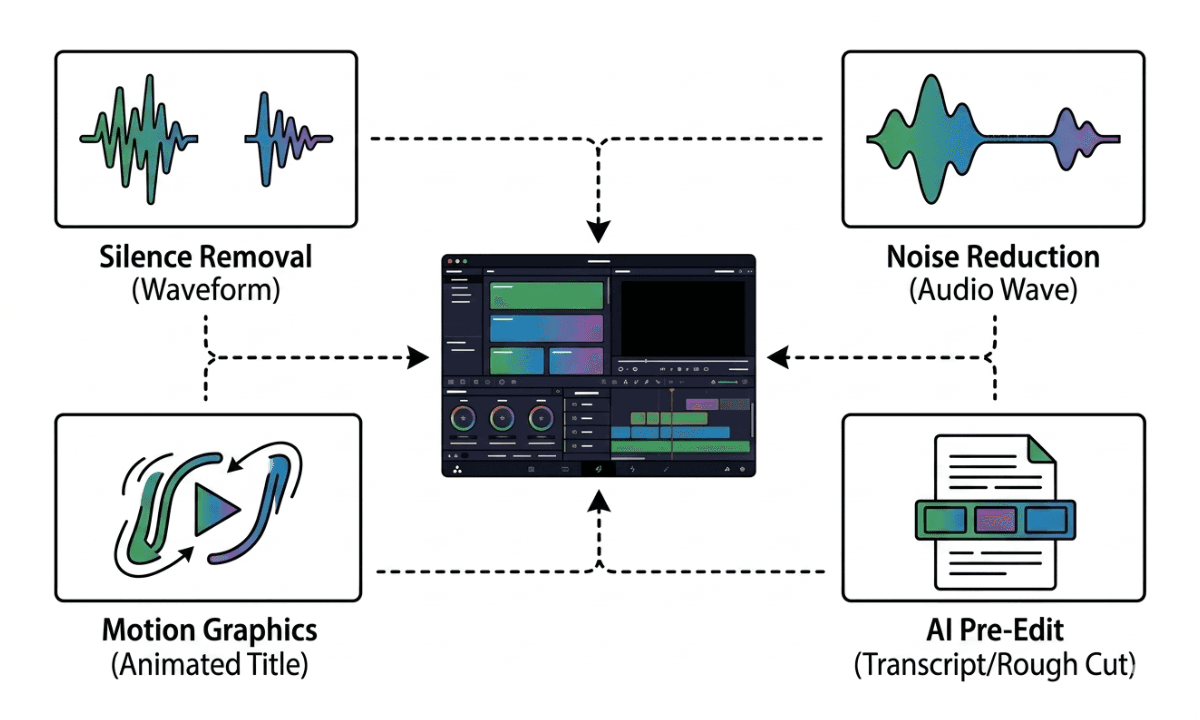
TLDR: Final Cut Pro has a strong plugin ecosystem for color and effects, but almost nothing native for silence removal or AI pre-editing, here is what is worth installing in 2026, and the one tool that handles long-form prep before FCP ever opens.
Final Cut Pro is the fastest NLE for single-editor workflows on Apple Silicon. The magnetic timeline, background rendering, and Roles-based audio management are genuinely excellent. The plugin gap is in automation: there is no native silence removal that works like Premiere Assistant does inside Premiere Pro, no AI camera switching, and no transcript-driven rough cut builder. If you are cutting long-form multicam interviews or podcasts in FCP, most of the prep work still happens manually before your first real editorial decision. The right plugin stack changes that. Here is what is actually worth installing in 2026.
How Final Cut Pro Plugins Are Categorized
Final Cut Pro plugins split into two categories that solve different problems. Conflating them leads to buying tools that overlap or miss the bottleneck entirely.
In-timeline plugins enhance what happens inside Final Cut Pro: motion graphics, color grading, effects, transitions, captions, and noise reduction. These are Motion-based templates, FxPlug plugins, and workflow extensions installed via the FCP Plugin Manager or the Mac App Store.
Pre-editing tools handle the work that happens before your magnetic timeline exists: syncing multicam footage, transcribing dialogue, removing silences across tracks, organizing clips into rough cuts, and handing everything off to FCP as a structured project. These tools run upstream of the NLE and are increasingly AI-driven.
The distinction matters for the same reason it matters in DaVinci Resolve. An editor spending four hours on a talking-head rough cut before touching color has a different problem than one spending four hours on noise reduction in Motion. The fixes are not the same tool.
Pre-Editing and AI Automation
Selects
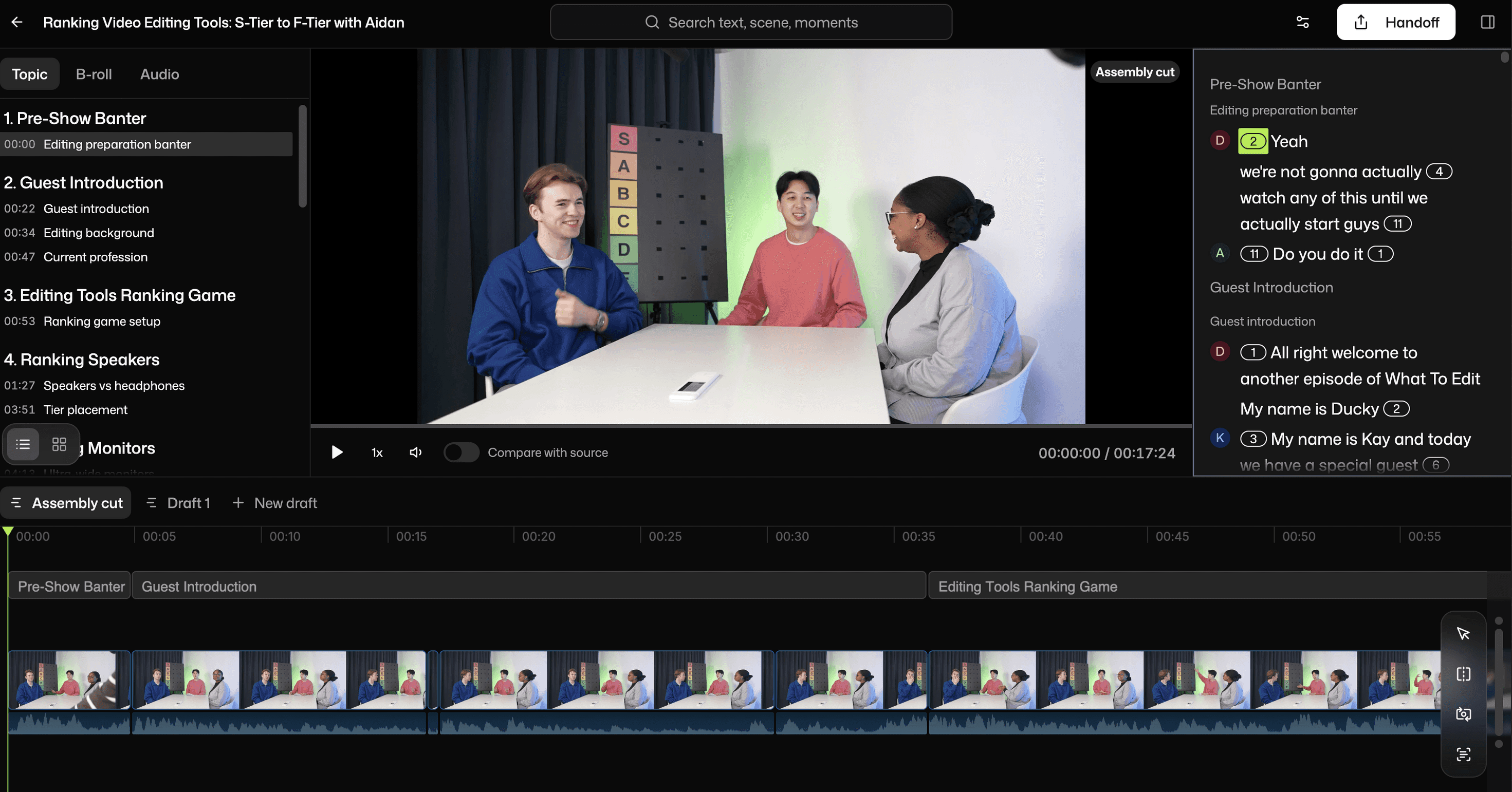
Selects is a standalone desktop app that handles the entire pre-edit before you open Final Cut Pro. Drop in raw multicam footage, single cam, dual cam, up to 10 tracks, and Selects syncs everything using MFCC spectral analysis (no PluralEyes round-trip needed), diarizes speakers at 97-98% accuracy, generates a word-level transcript, removes silences and filler words across all audio tracks simultaneously, and builds a rough cut organized into topic-labeled chapters. The output is a native Final Cut Pro XML that opens as a structured magnetic timeline, not a pile of raw clips.
This is the pre-editing layer that most FCP plugin roundups skip, but it is where the hours actually go on long-form multicam projects. For podcast agencies, YouTube studios, and documentary teams cutting four-camera shoots in Final Cut Pro, Selects is the most time-saving tool on this list. It is not an FCP plugin, it runs upstream of the NLE, which is exactly the point.
For a detailed walkthrough of how the silence removal and FCP handoff work specifically, the Final Cut Pro silence removal guide covers the full upstream workflow.
Best for: Long-form multicam, podcast and interview editing, documentary prep. Try Selects free for 7 days.
Autocut for Final Cut Pro
Autocut is one of the few dedicated silence removal tools that integrates directly inside Final Cut Pro. It scans the audio waveform, detects silence below a configurable threshold, and creates split points automatically. You still review and approve cuts before finalising, it is a detection assist rather than a fully automated rough cut builder.
Autocut performs well on single-camera talking-head footage with clean, close-mic audio. It is less reliable on multicam shoots where audio bleeds across tracks, and it does not handle transcript-based editing, chapter organization, or NLE handoff. For creators doing solo YouTube recordings in FCP who want silence removal without leaving the timeline, it is a functional option.
Best for: Solo creators, single-camera content, YouTube vlogs in Final Cut Pro.
TimeBolt
TimeBolt is a standalone desktop app (Mac and Windows) that removes silence from video and audio files before they reach an NLE. It works by scanning for silence gaps, showing a waveform preview, and letting you adjust cuts before exporting a processed file or timeline to Final Cut Pro, Premiere Pro, or DaVinci Resolve.
TimeBolt is considerably more basic than Selects, it handles silence removal but not multicam sync, speaker diarization, transcript-based editing, or topic organization. For editors cutting single-camera content who want a simple silence removal step before FCP, it covers the job at a lower price point.
Best for: Single-camera creators wanting basic silence removal before NLE import.
Recut
Recut is a Mac-only desktop app focused specifically on silence removal. You drag a video or audio file in, adjust the silence threshold and padding, and export a trimmed version or an XML for Final Cut Pro. It is the simplest tool in this category and the most limited, no transcript, no multicam, no chapter detection, no rough cut. Pure silence removal, nothing else.
For editors who only need to strip dead air from a single-camera recording and get it into FCP quickly, Recut does that job cleanly. For anything more complex, it is not the right tool.
Best for: Quick single-camera silence removal, solo creators with simple workflows.
Caption and Transcription
Simon Says AI
Simon Says is a browser-based transcription and caption tool with Final Cut Pro integration. You upload your footage, it generates a transcript with word-level timestamps in 100+ languages, and you export the result back to FCP as subtitles or as an edit-ready XML. The accuracy is strong on clean audio and it is one of the better tools for multilingual podcast and interview content where FCP's native transcription (English-focused and limited in language support) falls short.
Simon Says does not handle silence removal, multicam, or rough cut assembly, it is a transcription tool, not a pre-editing tool. For editors whose primary bottleneck is captioning and multilingual subtitles rather than rough cut prep, it covers that gap.
Best for: Multilingual captions, subtitle export, transcript-based editing on single-camera content.
Noise Reduction and Audio
iZotope RX (Elements or Standard)
iZotope RX is the industry standard for audio repair in professional post-production. The Elements tier handles the most common problems: dialogue noise reduction, de-clicking, de-humming, and breath removal. The Standard tier adds de-reverb and more granular spectral repair tools. Both integrate with Final Cut Pro via ARA (Audio Random Access) or as standalone repair tools on individual clips.
For editors cutting interview and podcast content where the recording environment was not ideal, home studio, outdoor shoot, noisy hotel room, RX Elements handles cleanup that FCP's native noise reduction cannot match. It is not a pre-editing tool; it is an audio repair layer applied after the rough cut exists.
Best for: Audio cleanup on dialogue-heavy content, professional podcast finishing.
Accusonus ERA Bundle
The ERA Bundle covers similar ground to iZotope RX at a lower price point, with simpler single-knob controls for noise reduction, de-esser, voice leveler, and reverb removal. For editors who need decent audio repair without the learning curve of RX, ERA is the faster path to acceptable results. Quality ceiling is lower than RX Standard, but for delivery to YouTube and social platforms the difference is rarely audible.
Best for: Quick audio cleanup, editors who need simple controls over precise control.
Motion Graphics and Titles
Motion (Apple)
Motion is not a plugin, it ships free with Final Cut Pro, but it is the tool that powers the entire FCPX template and motion graphics ecosystem. Custom lower thirds, animated titles, generators, and transitions built in Motion publish directly to the FCP library. For editors who want custom graphics without paying for third-party packs, Motion is the right place to start.
The learning curve is steeper than After Effects for seasoned AE users, but for FCP-native workflows it integrates more cleanly than any third-party alternative.
Best for: Custom motion graphics, title animation, editors who want to build rather than buy.
MotionVFX
MotionVFX is the largest third-party source for Final Cut Pro templates. Their mProducts, mTitle, mTransition, mBehavior, cover animated titles, transitions, lower thirds, and cinematic effects. Quality is consistently high and updates are regular. For editors who need polished motion graphics without building them from scratch, MotionVFX is the first stop.
Best for: Ready-made motion graphics, professional title packages, quick turnaround productions.
Which Plugins Are Worth Installing First
The biggest time sink for long-form editors in Final Cut Pro is not color or motion graphics, it is the four to six hours of prep work on a two-hour multicam recording before the first editorial cut. Selects is the only tool on this list that addresses that directly, and it does it before FCP opens rather than inside it.
For in-timeline needs: iZotope RX for audio cleanup, MotionVFX for graphics, and Simon Says for multilingual captions are the highest-value additions to a professional FCP workflow.
For editors cutting single-camera content who want silence removal without leaving FCP, Autocut is the most practical in-NLE option. Just know its ceiling before you invest.
Try Selects free for 7 days and open Final Cut Pro with the rough cut already built.
Frequently Asked Questions (FAQs)
What are the best plugins for Final Cut Pro in 2026?
The best Final Cut Pro plugins in 2026 split into two categories. For pre-editing automation, silence removal, multicam sync, rough cut assembly before you open FCP, Selects is the strongest option and produces a native FCP XML handoff. For in-timeline use: iZotope RX for audio repair, MotionVFX for motion graphics, Simon Says for multilingual captions, and Autocut for basic in-timeline silence removal on single-camera content.
Does Final Cut Pro have a silence removal plugin?
Final Cut Pro has no native one-click silence removal. Autocut and Recut are third-party tools that add silence removal functionality for FCP editors. Selects handles silence removal upstream before the footage reaches the FCP timeline, producing a native XML with silence already removed, which is faster and more accurate on multicam footage than any in-timeline plugin.
What is the best way to remove silence in Final Cut Pro automatically?
The fastest method is to run footage through Selects before opening Final Cut Pro. Selects removes silence across all audio tracks at 10 ms precision and exports a native FCP XML with silence already gone. For editors who prefer to stay inside FCP, Autocut handles silence removal within the timeline. The manual method, blade tool and ripple delete -- works but takes 2-4 hours on a 1-hour recording.
Is there a free trial for Final Cut Pro plugins?
Most Final Cut Pro plugins offer trial periods. Selects has a 7-day free trial before converting to a paid plan. Autocut and Recut offer limited trial access. iZotope RX Elements is available as a trial download.
What plugins do professional editors use with Final Cut Pro?
Professional editors using Final Cut Pro for long-form content typically combine: Selects for pre-editing and rough cut assembly, iZotope RX for audio repair, MotionVFX for motion graphics, and Simon Says for multilingual captions. The combination covers the gaps FCP's native toolset leaves in AI automation, audio cleanup, and graphics without adding unnecessary overlap.
Does Selects work with Final Cut Pro?
Yes. Selects exports native Final Cut Pro XML files, so the handoff works with FCP's magnetic timeline, connected clips, and gap clip structure without XML conversion issues. Multicam sync, silence removal, and rough cut assembly are all handled upstream by Selects before the project file reaches Final Cut Pro.

Kay Sesoko
Marketer