Stringouts vs. Selects: What They Mean In Video Editing Terms
Confused about stringouts and selects? Learn the difference between stringout sequences, select reels, KEM rolls, and how AI video editing tools like Selects automate it all.
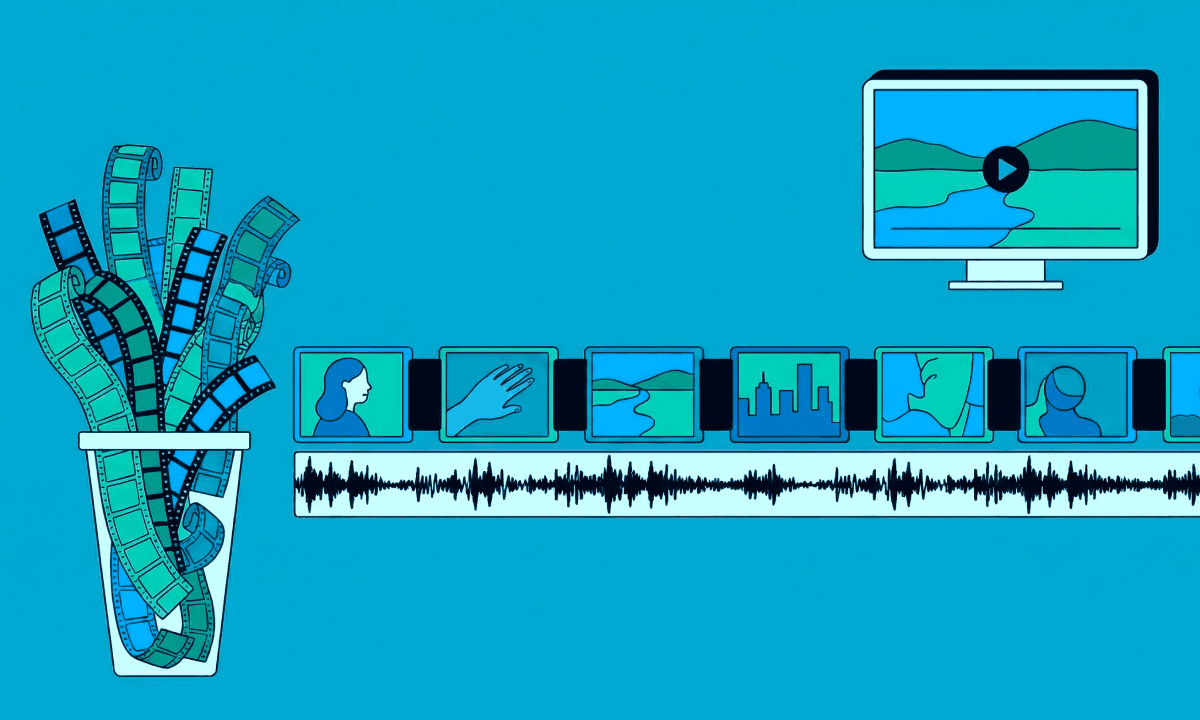
TLDR: A stringout is a continuous sequence of all usable footage in the order it was shot; selects are the specific clips pulled from that stringout for the final edit. Selects by Cutback automates the process of building both.
If you’ve ever googled “what is a stringout in video editing” or found yourself on Reddit trying to decode what “select reel” really means, you’re not alone. The terms stringout and selects are often used interchangeably across industries, but they carry subtle differences that can shape your entire editing and post-production workflow. In this guide, we’ll break it down clearly and show how tools like Cutback Selects, the AI video editor plugin for Adobe Premiere Pro, Final Cut Pro, and DaVinci Resolve, are redefining what video prep automation looks like and making editorial decisions easier.
Looking to try Cutback Selects? Test it out today by downloading it through the link!
What Is a Stringout in Video Editing?
At its core, a stringout is a sequence of clips, with light trimming, laid out in linear order on an editing timeline. It serves as a comprehensive overview of your footage, helping editors or producers watch everything that was shot.
But there’s nuance. Depending on the industry or editor, stringout can mean:
Narrative Stringout: Narrative stringouts are ordered by scene or slate to prep scripted edits
Dialogue Stringout: Dialogue stringouts are focused on all spoken content, useful for interviews or talk shows
Documentary Stringout: Documentary stringouts are grouped by topic or subject matter for easier storytelling
VFX Stringout: VFX stringouts isolate only the shots that need visual effects, organized by edit order, to streamline feedback, tracking, and vendor handoff
These are sometimes known as dailies sequences, especially when compiled by assistant editors during large productions through pancake editing.
The stringout is the foundation of what editors formally call the assembly cut, the first complete pass of usable footage before any story decisions are made.
What Are Selects in Video Editing?
Selects refer to the trimmed moments pulled from the stringout. These are the usable, best-quality clips that might make it into the final cut. Unlike stringouts, a selects sequence consists of editorial choices, not just an overview.
Often grouped by subject, camera card, or emotion
Shared with directors or clients for review
May exist as a “select reel”, a highlight sequence
If you’ve searched “select reel meaning,” this is it: a curated set of shots that reflect the best takes.
Stringout vs Selects: What’s the Real Difference?
Reddit editors describe the difference in colorful ways. One user said:
“Stringouts are your entire box of crayons. Selects are the colors you actually use.”
Here’s a practical breakdown:
Term | Purpose | Who Uses It |
Stringout | Full layout of raw footage | Assistant editors, producers |
Selects | Curated moments from stringout | Editors, directors |
KEM Rolls | Alternative takes grouped together | Old-school & film editors |
Some editors even reverse these terms depending on studio culture, so always clarify with your team.
Check out more detailed video editing terms in the comprehensive guide at the link!
The Role of AI in Video Prep: Meet Cutback Selects That Will String Out Your Clips
Cutback is redefining what a video editing tool can do by automating your entire rough cut workflow, and yes, that includes stringouts.
Whether you’re working in Premiere Pro, Final Cut Pro, or DaVinci Resolve, Cutback Selects is built to be your AI-powered assistant editor. It creates smart stringouts automatically:
Clips grouped by speaker, topic, or take
Labeling and segmenting done for you
Auto multi-sync your footage
Dead air and silence removal
Works with vertical clips, podcasts, documentaries, and branded content
Think of it as stringout video editing software without the chaos. You no longer need to hunt through hours of footage or build your video edit stringout template from scratch. With Cutback, you load your dailies and go from raw to cut in minutes.
In a full agentic AI video pipeline, the Selects stringout is the foundation that Claude, Remotion, and Hyperframes all build on top of, each tool covering a different axis of the edit.
Why Video Prep Automation Matters in Your 2026 Video Editing Process
Whether you’re a solo creator or managing a post-production team, the time spent preparing footage has always been the bottleneck. Assistant editors can cost hundreds per project. Now, an AI video editor like Selects does that heavy lifting with the precision of a human and the speed of a machine.
Selects is also helpful for troubleshooting common technical video editing issues.
You don't have to choose between creativity and efficiency anymore. You get both.
Final Thoughts: Stringouts, Selects, and the Future
While the terminology might remain messy, your workflow doesn’t have to be. Whether you prefer a traditional KEM roll approach or lean into AI stringout creation, Cutback Selects helps you move faster without sacrificing control.
Explore how Cutback Selects can transform your workflow today!
For more in-depth knowledge about the ins and outs of video editing, video editing techniques, and video editing tips, check out our latest posts on the Cutback blog or our YouTube channel.
Frequently Asked Questions (FAQs)
Q: What is a stringout in video editing?
A: A stringout is a sequence of usable footage laid out in order on a timeline, with light trimming but no story decisions made yet. It gives editors and producers a comprehensive overview of everything that was shot, before any selects are pulled or a rough cut begins. Depending on the production, a stringout might be organized by scene, by dialogue, by topic, or isolated to VFX shots specifically, the exact organization varies by industry and studio.
Q: What is the difference between a stringout and selects?
A: A stringout is the full layout of usable raw footage in order, an overview, not a set of choices. Selects are the specific clips pulled from that stringout that might actually make it into the final edit, an editorial decision rather than just an assembly. One Reddit editor put it well: stringouts are your entire box of crayons, selects are the colors you actually use.
Q: How do you create a stringout in Premiere Pro?
A: Premiere Pro doesn't have a dedicated "create stringout" command, it's built manually by creating a new sequence and dragging all usable clips onto it in shot or scene order, with light trimming as you go. On a long project this is time-consuming to do by hand, which is why AI pre-editing tools like Selects have become common: Selects analyzes footage and builds a structured stringout automatically, then hands off a native Premiere Pro project once it's ready.
Q: What is the difference between dailies and stringouts?
A: Dailies are the raw, unedited footage from a single day of shooting, the term comes from film production, where footage was developed and reviewed the next day. A stringout is an assembled sequence built from that footage, organized in order with light trimming, so dailies are the raw source material and a stringout is one step further: a version of that material laid out for editors to review as a whole. A "dailies stringout" specifically refers to footage organized by shooting day, as opposed to a "scene" or "story" stringout, which reorganizes the same footage by scene instead.
Q: What is a select reel?
A: A select reel is a highlight sequence made up of the best takes pulled from a stringout, essentially selects packaged as their own standalone sequence rather than scattered clips. It's often shared with directors or clients for review, since it shows only the strongest material without requiring anyone to sit through the full stringout first.
Q: What are the 5 stages of video editing?
A: The typical progression runs from stringout (all usable footage in order) to selects (the best clips pulled from it) to assembly cut (those clips placed together in a first watchable pass) to rough cut (where story and pacing decisions get made) to final cut (color, audio, and graphics locked in). For a full breakdown of how each stage differs and where AI now automates parts of this process, see Assembly Cut vs Rough Cut: What's the Difference?
Q: Can AI build a stringout automatically?
A: Yes. Selects analyzes raw footage on import, transcribes it, detects speakers, and organizes usable clips into a structured stringout automatically, grouped by speaker, topic, or take rather than left in raw shooting order. From there it also removes dead air and filler words before exporting a native project to Premiere Pro, Final Cut Pro, or DaVinci Resolve, so the manual stringout-building step is skipped entirely.

Kay Sesoko
Marketer
Share post