A Practical Guide to Solo Podcasting
Learn how to run a podcast solo in 2026, from setup and workflow to editing, automation, and scaling without a production team.
TLDR: Running a podcast solo requires a setup that minimizes post-production work, a reliable single-cam or multi-cam configuration, clean audio at source, and an AI pre-editing tool that handles sync, silence removal, and rough cut assembly before you open your editor.
A one-person podcast (often referred to as a solo podcast) is not an unusual sight these days. Plenty of podcasts with sizeable audiences are run from start to finish by one person, and the quality doesn’t have to suffer. The solo podcasting workflow is what determines how long you can keep that up without burning out.
Creating the content itself usually isn’t the hard part. It’s fun – it’s why you started in the first place. The time sink comes afterward, when a long recording has to be synced, cleaned, and organized before you can start making editing decisions. The prep work must be repeated for every episode, and for solo podcasters, it’s a primary driver of late releases or stalled shows.
Automatic podcast editors are gaining traction because they promise freedom. But do you understand which parts of podcast production automate well and which still need human judgment?
This guide explains all that, plus how to lay out the setup, how to edit a podcast, and even a production workflow for a sustainable solo podcast and successful podcast publishing.
Filming & Editing a Podcast Alone: What “Running a Podcast Solo” Actually Means in 2026
Running a podcast solo means you’re responsible for the entire production chain. There’s no editor cleaning things up before you see them and no producer shaping structure. Whatever comes out of the recording session is what you work with.
At the very least, solo podcasting usually includes:
Recording and capturing
Editing and cleanup
Publishing and distribution
Repurposing episodes into clips
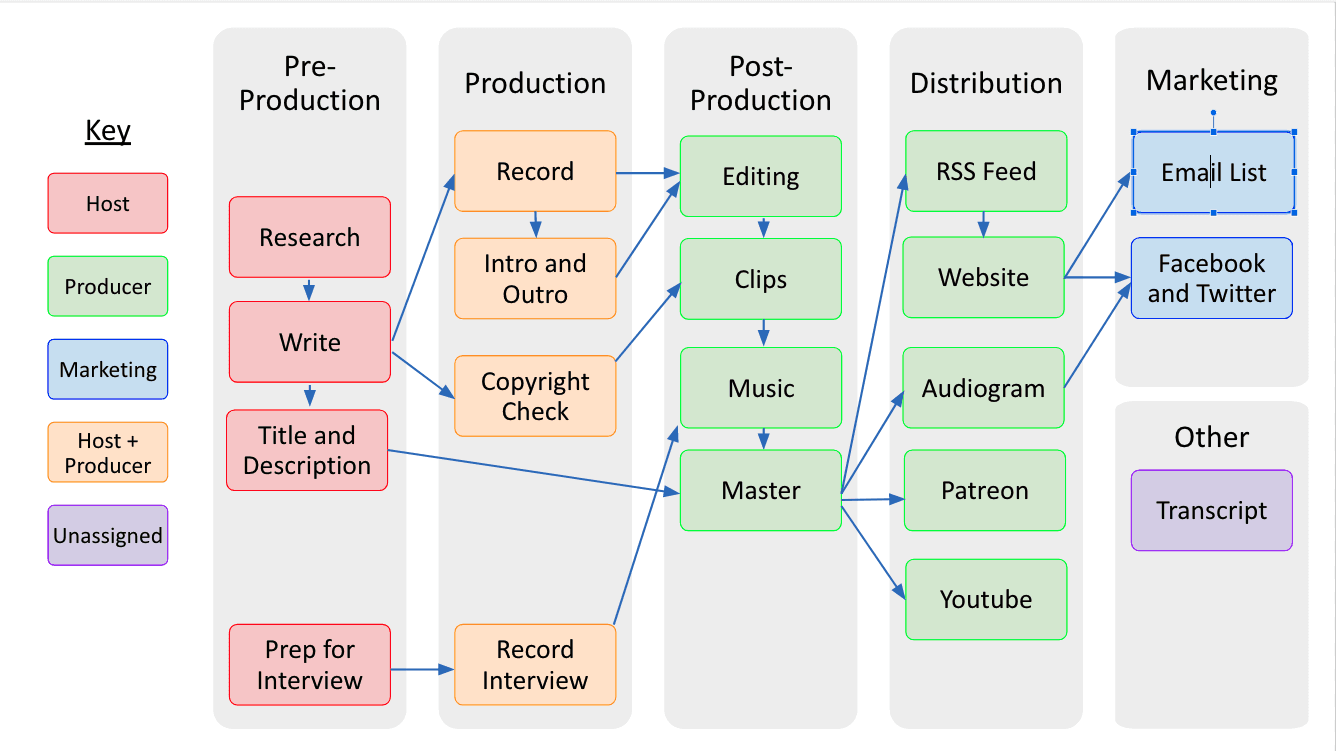
In a solo podcast, every role in this workflow belongs to one person.
How you handle the early steps will impact your work later. Audio decisions affect how well silence removal works. Camera layouts influence whether automatic camera switching feels natural or chaotic. If unaddressed, those issues can turn into extra editing time every episode.
Automatic podcast editors exist because a large part of podcast editing is repetitive. Syncing tracks, trimming dead air, and assembling a rough structural pass don’t require your creative judgment. Tools like Selects are good at preparing material so it’s easier to work with.
Solo podcasting vs team podcasting
In solo podcasting, all friction accumulates in one place. Every decision, from camera placement to audio cleanup to clip selection, lands on the same person. In a team podcasting setup, that friction gets distributed. Producers shape structure, assistant editors handle prep, and editors focus on pacing and storytelling. That’s the core difference between each approach.
Solo podcasting fails when workflows are streamlined, and team podcasting fails when systems aren’t standardized enough for easy handoff. This is why automation matters so much in both cases. It replaces labor with a consistent and scalable content creation method.
Solo Podcast Setup: Podcast Equipment That Won’t Fight Your Workflow
When solo podcasting, you’re not looking for flexibility or future-proofing. You don’t need fancy influencer gear. You need a consistent editing workflow that reduces how much cleanup you create for yourself later.
Inconsistent setups create problems for automation – issues with camera switching, sync drifts, and clip detection. This adds friction that eventually cancels out any time saved by automation.
One camera vs two cameras
A one-camera setup is still the lowest-friction option for solo podcasters. One angle means fewer sync points, less chance of editing mistakes, and less drift to manage. For audio-first shows where video is mainly for distribution, a single camera is usually enough.
Two-camera setups make sense when visual pacing matters, like interviews with a lot of back-and-forth or moments where reactions are important. The tradeoff is that camera placement, framing, and timing need to stay consistent across episodes.
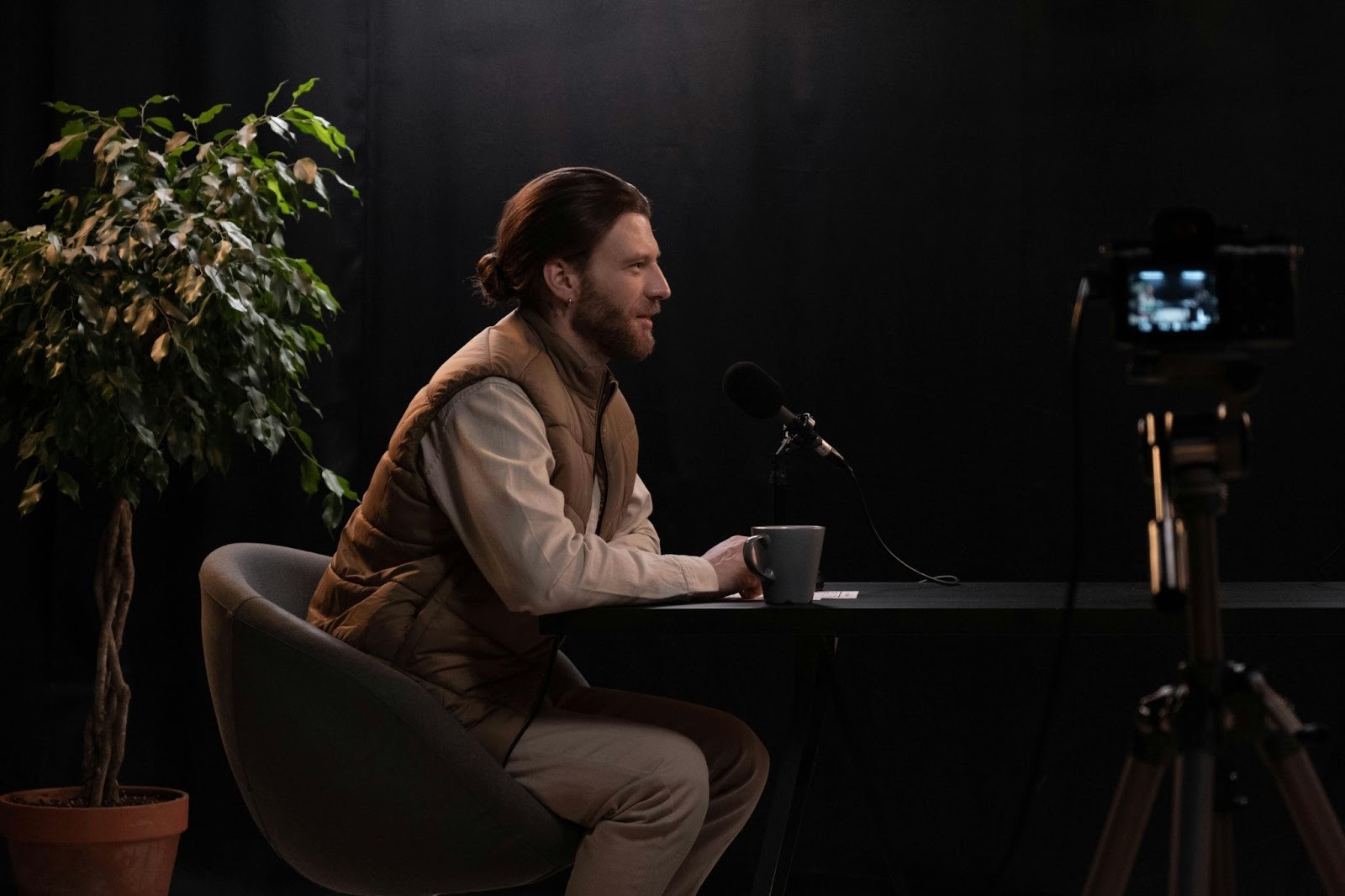
Fewer cameras usually mean fewer problems.
Audio-first thinking
When automation is part of your workflow, audio quality actually matters more than video quality. Silence detection, speaker changes, and clip boundaries are all driven by audio, not visuals.
Clean, even audio gives automatic podcast editors something stable to work with. Inconsistent audio levels, background noise, or aggressive compression or abuse of EQ settings through over-editing make it harder to detect pauses and emphasis accurately. You can utilize audio editing software features like the pop filter for frequency and volume consistency, or other audio effects for noise reduction. Your mic technique and recording quality when filming are just as important, too. These factors compound to produce professional sound in your podcast post-production workflow. A modest microphone in a controlled recording environment will usually outperform a more expensive setup paired with messy audio in the podcast editing process. One of the standard solo podcasting desk setups is the Rode Solo Podcasting Bundle.
Consistent frame rate and sample rate
This is one of the most important solo podcasting tips. If you want automation to behave predictably, frame rate and sample rate should be locked across every device involved in the recording.
Mixed frame rates confuse automatic camera switching and can cause timing drift.
Mismatched sample rates break waveform-based sync and create alignment issues that are frustrating to fix later.
Getting these settings right once and keeping them consistent prevents repeat cleanup work later on.
The Solo Podcast Editing Workflow (Manual vs Automated Podcast Workflow with Selects)
1. Ingest and sync files
How long does it take to edit a podcast? Well, the ingest stage is where most time disappears. Long recordings, multiple cameras, and continuous audio mean there’s a lot to align before any creative work begins. This is where batch processing can come in handy.
When sample rates match and recordings are continuous, those reference points are stable, which allows sync to happen quickly and accurately. On longer episodes, this can save big chunks of time.
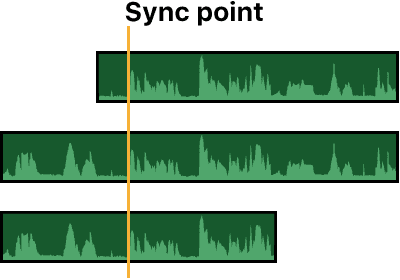
Clean, continuous audio gives automation a reliable sync reference.
Manual sync is still needed for backup audio recorded separately, dropped frames, camera restarts, or partial recordings. But the goal is to make manual sync the exception instead of the rule.
2. Storyline and structure
Once footage is synced, the next problem is scale. Watching an entire episode end to end every time is not efficient, especially when you’re just trying to make large-scale shaping decisions.
Prompting a storyline means using text-based editing instead of the timeline editing. Automated transcripts let you scan the conversation quickly, while automatic chaptering breaks a long recording into logical sections. Instead of scrubbing the timeline, you can use prompts to narrow the edit and make structural decisions without touching the timeline.
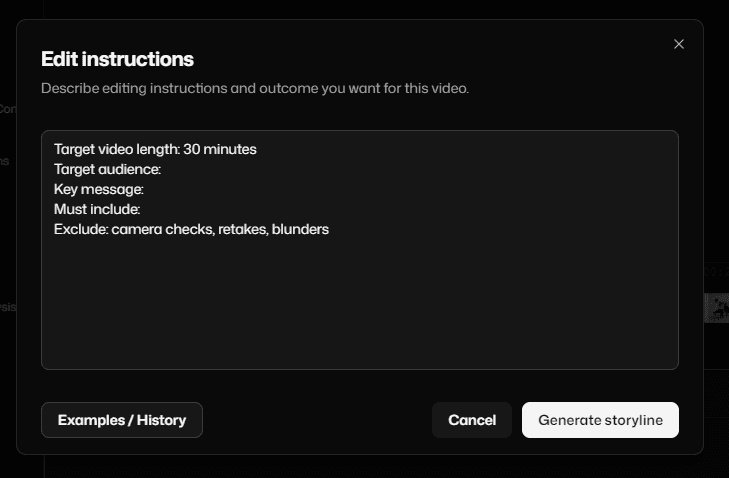
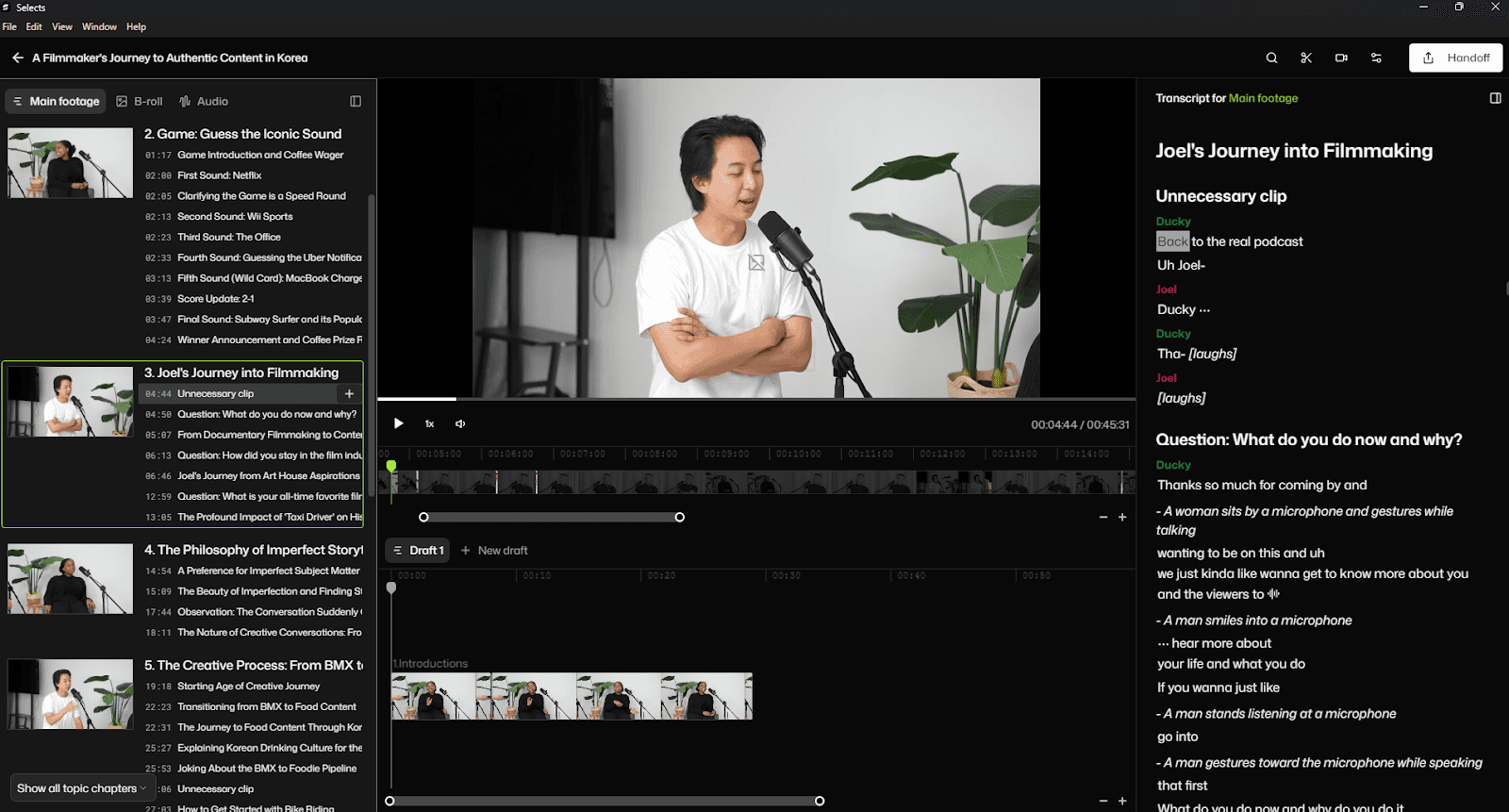
With Selects, instead of scrubbing the timeline, you start with structure.
This approach changes the nature of editing. You’re no longer reacting to the footage as it plays. You’re making decisions based on content first, then refining pacing and delivery afterward.
3. Assistant editor intelligence
Automatic podcast editing tools are most useful when they behave like assistant editors that help you with editing a podcast. Their job is to surface material; your job is to make the editorial decisions about the podcast workflow.
One way they do this is by identifying sections that are good candidates for removal. Long pauses, obvious false starts, filler word removal, mic adjustments, or stretches where the conversation stalls can be flagged automatically. You still decide what to cut, but you’re no longer spending time hunting for these moments.
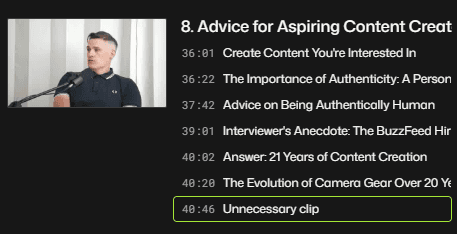
Unnecessary clips are marked so you can review them instead of searching manually.
Search plays a similar role. When footage is indexed by transcript, you can search through an episode by topic, speaker, or keyword instead of scrubbing a timeline. If you need to review every time a subject comes up, or isolate one speaker’s contributions, you can do that directly and in context.
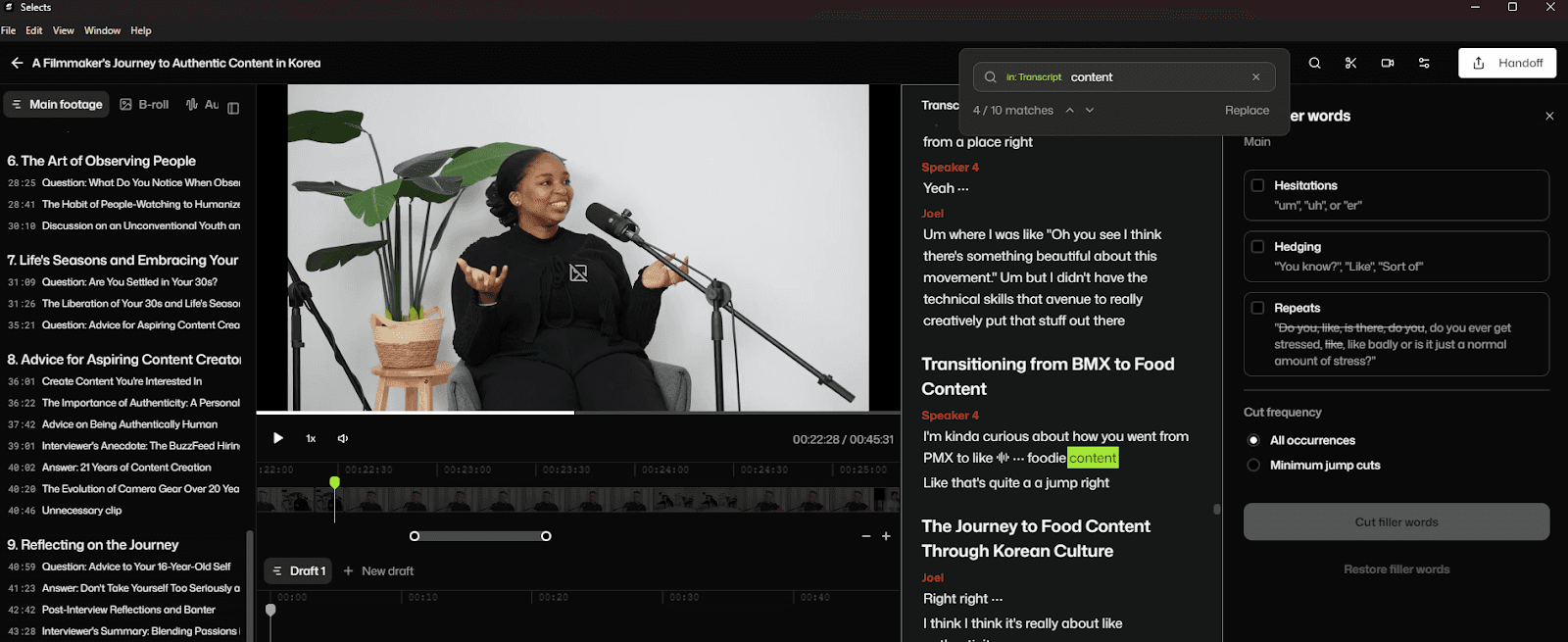
Transcript search reduces time spent hunting through footage.
Some podcast editor tools also surface moments with noticeable changes in delivery, like shifts in volume, emphasis, or emotional peaks, so you can locate impactful moments.
Make sure to check out our comprehensive guide on how to edit a video podcast. If your podcast editing workflow is native to Adobe Premiere Pro, check out our Premiere Pro podcast editing guide, too.
Automatic Podcast Editors: What They Do Well and Where They Don’t
Automatic podcast editors can save a lot of time, or they can make more work, depending on how you use them. In general, they are good at rule-based tasks and bad at context:
Good Use Case | Bad Use Case |
Silence and dead-air removal – Identifies long pauses, gaps between speakers, and obvious dead air based on audio thresholds. | Pacing and emphasis – Can’t tell when a pause adds weight or when silence should stay for timing. |
Basic camera switching – Switches between angles using audio activity when framing and inputs are consistent. | Contextual camera choices – Doesn’t understand reactions, callbacks, or when staying wide communicates more than switching speakers. |
Sync and prep for long recordings – Aligns audio and video tracks using waveform matching and timing data. | Structural judgment – Can’t decide what belongs in the episode, what can be shortened, or what should be cut entirely. |
Reducing timeline noise – Flags sections like false starts, mic adjustments, or slow moments. | Edge cases – Still needs manual fixes for dropped frames, restarts, or backup audio. |
For a detailed look at the best AI podcast editors, check out our comparison guide of Selects, Descript, Autopod, and Riverside. We also have a guide on Autopod troubleshooting that you can follow.
Podcast Editing Tips for Increased Distribution: Publishing and Repurposing as a Solo Operator
The cleanest approach for content creation is long-form first, everything else second. The full episode defines the structure, pacing, and intent of the content.
Once the structure is defined, automation becomes even more useful. You already know which sections belong in the episode and which ones carry a complete idea on their own. That makes it easier to pull podcast clips without rewatching the entire recording or guessing what might work out of context.
Repurposing also benefits from being planned earlier. If you know you’ll need short-form clips or vertical video, that affects how you cut the main episode. You leave clearer in and out points, and you keep reactions that stand out. You avoid trimming moments that will make strong clips later.
One editing pass supports publishing the episode and producing clips, instead of forcing a second round of cleanup just to make short-form usable.
For a practical case study on repurposing podcast content, check out how the Cutback “Time for More” podcast was repurposed into multiple pieces of content.
The Real Value of Podcast Automation for Solo Podcasting
When you’re running and editing podcast content solo, every extra step lands on you. There’s no handoff between recording, editing, and publishing. Any small inefficiencies in your process will continue to rear their ugly head with every episode. Hence, you’d need these podcast editing tips.
Automatic podcast editors like Selects can help standardize the prep work and save time, but they have to be used intentionally. Use them to take care of sync, cleanup, and initial organization, so you’re not starting from scratch each time you sit down with a new recording. When the material is prepped, you take over to address pacing or storytelling.
For more in-depth knowledge about the ins and outs of video editing, check out our latest posts on the Cutback blog or our YouTube channel.
Frequently Asked Questions (FAQs)
Q: Is it possible to run a podcast solo?
A: Yes, plenty of podcasts with sizeable audiences are produced start to finish by one person, and audio or video quality doesn't have to suffer for it. What determines whether it's sustainable isn't talent or equipment, it's whether the workflow minimizes the post-production work that has to be repeated for every single episode.
Q: How do you run a solo podcast?
A: Running a podcast solo means one person owns the entire chain: recording, editing and cleanup, publishing, and repurposing episodes into clips. The setup and editing decisions made early, camera count, audio consistency, frame and sample rate, directly affect how much manual cleanup work shows up later, so a workflow built around minimizing that repeated prep work matters more than any single piece of gear.
Q: What do you need for a solo podcast setup?
A: A single camera is usually the lowest-friction option for solo podcasters, fewer sync points and less drift to manage than a multi-camera setup, and it's enough for audio-first shows where video mainly supports distribution. Audio quality matters more than video quality once automation is part of the workflow, since silence detection, speaker changes, and clip boundaries are all driven by audio. Keeping frame rate and sample rate consistent across every recording device also matters: mixed frame rates confuse automatic camera switching, and mismatched sample rates break waveform-based sync.
Q: What are some solo podcast format ideas?
A: Common solo formats include a straight talking-head monologue on a single topic per episode, a rotating Q&A or listener-question format, solo commentary or reaction to news or other media, and interview-style episodes where the host still handles all production alone even with a guest present. The format that works best usually depends on what keeps the post-production workload manageable, a heavily edited multi-segment format takes more prep time per episode than a single continuous take does.
Q: Can AI tools fully automate solo podcast editing?
A: No, automatic podcast editors handle rule-based tasks well, silence and dead-air removal, basic camera switching, and syncing long recordings, but they can't make structural or pacing judgments about what belongs in an episode. Selects and similar tools are built to surface material and flag candidates for removal, the editorial decisions about what to actually cut still belong to the person running the show.
Q: What's the biggest challenge of running a podcast solo?
A: The prep work: syncing footage, cleaning up audio, and organizing a long recording before any creative editing decisions can even be made, and it has to be repeated for every single episode with no one else to hand it off to. This repeated prep work, more than the recording itself, is usually what causes solo shows to release late or stall out entirely.
Kay Sesoko
Marketer
Share post